Agent Evaluation
This article introduces the core concepts of Agent evaluation, the design philosophy behind eval sets and evaluators, and how to implement regression evaluation in real-world projects. For specific usage and execution methods, see: Using pytest for Agent Evaluation, Using WebUI for Agent Evaluation.
Why Agent Evaluation
As large language models and tool ecosystems mature, Agents are gradually moving from experimental scenarios into business-critical pipelines, with increasingly frequent version iterations. At this point, delivery quality is no longer determined by "whether a single demo succeeds," but by whether behavior remains stable and regressable as models, prompts, tools, knowledge bases, and orchestration continue to evolve. Behavior drift commonly occurs during iterations—wrong tool selection, changes in parameter structure, altered output formats, etc. Without evaluation to solidify expectations, regression costs become very high.
Unlike deterministic programs, Agent issues are mostly probabilistic deviations—the same input may produce different results across multiple runs, making reproduction and replay difficult. Root-cause analysis often requires inspecting logs, traces, and external dependencies, resulting in high issue-resolution costs.
The purpose of evaluation is to solidify key scenarios and acceptance criteria into reusable assets, forming sustainable regression signals. The evaluation module in tRPC-Agent-Python provides out-of-the-box evaluation capabilities: managing test cases and persisting results through eval sets and eval configurations, with built-in evaluators for tool trajectory, response matching, and LLM Judge, along with support for multi-turn conversations, multiple repeated runs, Trace mode, callbacks, and context injection—facilitating both local debugging and CI pipeline integration.
Think Before You Evaluate
Before writing test cases and configurations, it is advisable to think through three things.
What counts as a pass? That is, for the current Agent, what is the criterion for a conversation to "pass"—whether it requires correct tool calls, whether the response contains certain types of information or conforms to a specific format, or whether an LLM determines it as acceptable based on rules. Only after clarifying this can you determine what expectations to write in test cases and which evaluation metrics to use.
What are the key tasks? That is, which user needs or business scenarios should this evaluation cover. It is recommended to first identify the most critical scenarios, write test cases for them and get them running, then expand as needed.
Which metrics do you plan to use? That is, which evaluation methods and passing thresholds to enable in the eval configuration, which should be able to quantify the passing criteria you defined in "What counts as a pass." For specific configuration, see Using pytest for Agent Evaluation.
What to Evaluate: Trajectory and Final Response
Evaluation targets two types of objects: trajectory and final response, which can be used independently or in combination, depending on your passing criteria.
Trajectory refers to the sequence of steps the Agent executes before responding to the user (e.g., first query the knowledge base, then call an API, then compose the response). During evaluation, the framework compares "which tools were actually called, what parameters were passed, and in what order" against the expected trajectory in the test case on a turn-by-turn basis. If the passing criteria include "tools and parameters must be correct," simply write the expected tool calls in the test case and select trajectory-based evaluation methods in the eval configuration.
Final response refers to the text or structured content the Agent returns to the user. When a standard answer exists, you can require the actual response to exactly match the expected one, contain a specific passage, or be semantically similar. When there is no verbatim standard answer but you can describe what constitutes a good response, an LLM can determine acceptability based on rules or rubrics. For details on supported evaluation methods and configuration, see Using pytest for Agent Evaluation.
How the Evaluation Module Works
Input: An eval set (JSON, containing multiple test cases with user input for each turn, optional expected tool calls and expected responses), an eval configuration file in the same directory (specifying metrics and thresholds), and the Agent module passed in as a parameter.
Flow: Load eval set and configuration → Load Agent → For each test case, send user messages to the Agent turn by turn, collect actual tool calls and final responses → Compare actual results against expectations using the configured metrics, compute scores → Pass if all thresholds are met, otherwise assertion fails. Multiple runs can be configured to compute pass@k, and results can be written to a specified directory.
Minimal example and directory conventions: See Quickstart and Using pytest for Agent Evaluation.
How to Run Evaluation
pytest: Execute pytest in the directory where the test cases reside (e.g., Quickstart's pytest test_quickstart.py -v -s). For environment, dependencies, and more usage, see Using pytest for Agent Evaluation.
WebUI: Start the Debug Server and adk-web, then select the Agent and eval set in the browser to run. See Using WebUI for Agent Evaluation.
Using pytest for Agent Evaluation
Overview
What Is This
The tRPC-Agent evaluation module is an automated Agent quality assurance toolkit. It allows you to write evaluation test cases like unit tests to verify whether the Agent's behavior meets expectations—including whether the Agent called the correct tools, passed the correct parameters, and whether the final response contains key information.
Why Use pytest
Triggering evaluation through pytest allows eval test cases to be integrated into automated testing or CI/CD pipelines, without the need to start a web service or interact with a GUI—suitable for local regression and continuous integration.
What Can Evaluation Do
| Capability | Description | Typical Scenario |
|---|---|---|
| Tool Call Verification | Checks whether the Agent called the correct tools with matching parameters | Verify that a weather Agent actually calls get_weather when encountering weather questions |
| Final Response Verification | Checks whether the Agent's response contains expected content | Verify that the response contains a temperature value |
| LLM Judge Evaluation | Uses another LLM as a judge to make semantic-level assessments of responses | Verify whether a response is reasonable or consistent with a reference answer |
| LLM Rubric Evaluation | Uses an LLM judge to score responses item by item against multiple rubrics | Verify that a response simultaneously satisfies multiple quality requirements such as "clear conclusion" and "on-topic" |
| Knowledge Recall Evaluation | Evaluates whether retrieved knowledge in RAG scenarios is sufficient to support the answer | Verify that knowledge base retrieval results cover the key facts in the question |
| Multiple Runs and Statistics | Runs the same test case multiple times, computing stability metrics such as pass@k | Evaluate the Agent's pass rate across multiple attempts |
| Trace Replay | Skips inference, directly scores using pre-recorded conversation traces | Perform offline evaluation using production logs without consuming inference resources |
| External Agent Evaluation | Evaluate Agents not created by this framework via call_agent (HTTP services, CLI, other frameworks) |
Run regression tests against an existing Claude Code CLI or remote API |
| Callback Hooks | Attach custom logic at 8 lifecycle points during inference/scoring | Instrumentation, logging, sampling, reporting |
Overall Evaluation Flow
A complete evaluation consists of three steps: Load → Infer → Score.
        Files You Prepare                        Framework Auto-Execution
    ┌─────────────────────┐          ┌───────────────────────────────────┐
    │  Eval Set File       │          │                                   │
    │  (.evalset.json)     │──Load──▶│  AgentEvaluator                   │
    │  · User input        │          │    │                              │
    │  · Expected tool     │          │    ├─ Inference phase: invoke     │
    │    calls             │          │    │   Agent per case, produce    │
    │  · Expected final    │          │    │   actual tool calls & reply  │
    │    response          │          │    │                              │
    ├─────────────────────┤          │    └─ Scoring phase: compare      │
    │  Eval Config File    │          │        actual vs expected by      │
    │  (test_config.json)  │──Load──▶│        metrics, compute scores    │
    │  · Which metrics     │          │        compare with thresholds,   │
    │  · Thresholds        │          │        determine pass/fail        │
    │  · Matching rules    │          │                                   │
    └─────────────────────┘          │  ──▶ Output: EvaluateResult       │
                                     └───────────────────────────────────┘
- Eval Set File: Describes "what to test"—what the user will say, what tools the Agent should call, and what it should reply.
- Eval Config File: Describes "how to judge"—which metrics to use for evaluation, what the matching strategy is, and what score counts as a pass.
- AgentEvaluator: The framework entry point that loads files, drives inference, executes scoring, and aggregates results.
Quick Start
This section provides a minimal runnable example to help you complete your first evaluation in 5 minutes. For the complete example, see examples/evaluation/quickstart/.
Step 1: Environment Setup
System Requirements: Python3.12 is required; you also need an accessible LLM model service.
Install Dependencies (includes pytest, pytest-asyncio, rouge-score, etc.):
pip install -e ".[eval]"
Configure Environment Variables:
export TRPC_AGENT_API_KEY="your-api-key"
## Optional
export TRPC_AGENT_BASE_URL="https://api.example.com/v1"
export TRPC_AGENT_MODEL_NAME="your-model-name"
Step 2: Prepare Files
You need to prepare 4 files, organized as follows:
quickstart/
├── test_quickstart.py          ← Test entry point (pytest runs this file)
└── agent/
    ├── agent.py                ← Agent definition
    ├── weather_agent.evalset.json  ← Eval set (what to test)
    └── test_config.json        ← Eval configuration (how to judge)
File 1: Agent Definition (agent/agent.py)
Build an evaluable Agent. The instruction constrains the Agent to answer weather questions using tools. The quickstart actually reads model configuration from config and registers multiple weather tools; for the complete code, see quickstart/agent/agent.py. Below is a minimal illustration.
## agent/agent.py (illustration; see quickstart/agent/agent.py for full version)
from trpc_agent_sdk.agents import LlmAgent
from trpc_agent_sdk.models import OpenAIModel
from trpc_agent_sdk.tools import FunctionTool

def get_weather(city: str):
    """Query the current weather for a specified city."""
    return {"city": city, "temperature": 20, "condition": "sunny"}

def create_agent() -> LlmAgent:
    return LlmAgent(
        name="weather_agent",
        description="Weather query assistant",
        model=OpenAIModel(model_name="your-model", api_key="your-key", base_url="https://..."),
        instruction="You are a weather assistant. Use get_weather to query weather.",
        tools=[FunctionTool(get_weather)],
    )

root_agent = create_agent()
File 2: Eval Set (agent/weather_agent.evalset.json)
The eval set describes "what to test": what the user will say, what tools the Agent is expected to call, and what it is expected to reply.
eval_set_id: Identifies this eval set.eval_cases: List of test cases. Each case has a uniqueeval_id.conversation: Multi-turn conversation sequence. During the inference phase,user_contentis taken turn by turn in this order as input.intermediate_data.tool_uses: Expected tool calls (for trajectory evaluator comparison).final_response: Expected final response (for final response evaluator comparison).session_input: Session initialization information (app_name,user_id,state).
The tool id is typically generated at runtime and is not used as a matching criterion.
{
  "eval_set_id": "weather_agent_quickstart",
  "name": "Weather Agent Single Case",
  "description": "Quickstart single-turn weather query evaluation",
  "eval_cases": [
    {
      "eval_id": "simple_weather_001",
      "conversation": [
        {
          "invocation_id": "e-quick-001",
          "user_content": {
            "parts": [{"text": "上海天气怎么样"}],
            "role": "user"
          },
          "final_response": {
            "parts": [{"text": "18°C"}],
            "role": "model"
          },
          "intermediate_data": {
            "tool_uses": [
              {
                "id": "t1",
                "name": "get_weather",
                "args": {"city": "上海"}
              }
            ]
          }
        }
      ],
      "session_input": {
        "app_name": "weather_agent",
        "user_id": "user",
        "state": {}
      }
    }
  ]
}
File 3: Eval Configuration (agent/test_config.json)
The eval configuration describes "how to judge": which metrics to use, what the matching strategy is, and what score counts as a pass.
metrics: An array of metrics. Each metric has ametric_name(selects the evaluator),threshold(passing threshold), andcriterion(evaluation criteria).- The example below configures two metrics: tool trajectory (tool name and parameters must match exactly, score above 0.8 to pass) and final response (response contains expected text, score above 0.6 to pass).
{
  "metrics": [
    {
      "metric_name": "tool_trajectory_avg_score",
      "threshold": 0.8,
      "criterion": {
        "tool_trajectory": {
          "default": {
            "name": {"match": "exact", "case_insensitive": false},
            "arguments": {"match": "exact"}
          },
          "order_sensitive": false,
          "subset_matching": false
        }
      }
    },
    {
      "metric_name": "final_response_avg_score",
      "threshold": 0.6,
      "criterion": {
        "final_response": {
          "text": {"match": "contains", "case_insensitive": true}
        }
      }
    }
  ]
}
File 4: Test Entry Point (test_quickstart.py)
In the pytest test, call AgentEvaluator.evaluate(), passing in the Agent module path and the eval set file path. The framework will load root_agent from the specified module, load test_config.json from the same directory as the eval set file, then execute inference and scoring.
import os
import pytest
from trpc_agent_sdk.evaluation import AgentEvaluator

@pytest.mark.asyncio
async def test_quickstart_with_eval_set():
    test_dir = os.path.dirname(os.path.abspath(__file__))
    eval_set_path = os.path.join(test_dir, "agent", "weather_agent.evalset.json")

    await AgentEvaluator.evaluate(
        agent_module="agent",
        agent_name="weather_agent",
        eval_dataset_file_path_or_dir=eval_set_path,
        print_detailed_results=True,
    )
Step 3: Execute Evaluation
cd examples/evaluation/quickstart
pytest test_quickstart.py -v --tb=short -s
During evaluation, the framework reads the eval set file and eval configuration file, loads the Agent and performs inference per test case, then completes scoring based on eval metrics. If a directory path is provided, the framework recursively scans the directory for all .evalset.json and .test.json files and evaluates each one.
Step 4: View Results
- All passed: The terminal prints an evaluation result summary; if
print_detailed_results=True, it also prints detailed comparison information for each test case. - Some cases below threshold: The framework raises an
AssertionError, with the failure summary included in the error message as JSON. - Result persistence: If
eval_result_output_diris passed during invocation, the results of the current evaluation will be written to a.evalset_result.jsonfile in that directory (see the Evaluation Results section for details).
Core Concepts
This section explains the components of the evaluation module and their relationships. After understanding these concepts, you will clearly know "which configuration file affects which stage."
Key Components
| Component | Responsibility | What You Need to Do |
|---|---|---|
| AgentEvaluator | The entry point exposed to users, providing evaluate() and get_executer() |
Call it in pytest tests |
| Eval Set (EvalSet) | Describes "what to test"—scenarios, user inputs, expected outputs | Write .evalset.json files |
| Eval Config (EvalConfig) | Describes "how to judge"—which metrics, thresholds, matching rules | Write test_config.json files |
| Eval Service (LocalEvalService / RemoteEvalService) | The engine that executes inference and scoring (local Agent or call_agent) |
Automatically created by the framework; usually no action needed |
| Evaluator | The concrete implementation that computes scores per metric | Choose built-in evaluators, or register custom ones |
| Evaluator Registry (EvaluatorRegistry) | Maintains the mapping from metric_name to evaluator type |
Register when custom evaluators are needed |
| Evaluation Result (EvaluateResult) | Holds the structured evaluation results | Obtain and analyze via get_result() |
How Components Collaborate
AgentEvaluator is the entry point and orchestrator of the entire evaluation flow:
- Loading Phase: AgentEvaluator loads the EvalSet from eval set files (
.evalset.json/.test.json), loads the EvalConfig fromtest_config.jsonin the same directory; for local Agent paths, loads the Agent byagent_module(can be omitted when usingcall_agentor when all cases use Trace Mode). - Building the Eval Service: AgentEvaluator writes the EvalSet into InMemoryEvalSetsManager; when
call_agentis provided, creates RemoteEvalService; otherwise creates LocalEvalService (depending on the Manager, UserSimulatorProvider, optional EvalSetResultsManager, Runner, and Callbacks). - Inference Phase: The eval service performs turn-by-turn inference based on test cases and conversations in the EvalSet: LocalEvalService drives the Runner to call the Agent; RemoteEvalService calls
call_agent(query)to obtain each turn's actual response, producing actual Invocation lists. - Scoring Phase: The eval service obtains evaluators from the EvaluatorRegistry based on the EvalMetric list in the EvalConfig, scores actual vs. expected item by item, and aggregates into EvalCaseResult.
- Result Aggregation: AgentEvaluator determines pass/fail based on results, raises
AssertionErrorwhen any test case falls below the threshold, and optionally persists results as.evalset_result.json.
AgentEvaluator Parameter List
evaluate() and get_executer() accept the same parameters (evaluate() internally calls get_executer()):
| Parameter | Type | Description |
|---|---|---|
| eval_dataset_file_path_or_dir | str | Path to eval set file or directory (recursively scans .evalset.json / .test.json) |
| agent_module | str | None | Python module path of the Agent created by this framework; mutually exclusive with call_agent. Not needed when using call_agent or when all cases are Trace mode |
| call_agent | CallAgent | None | Async callable for Agents not created by this framework (async def(str)->str); mutually exclusive with agent_module / runner |
| num_runs | int | Number of runs per eval set, default 1 |
| agent_name | str | None | Display name of the Agent |
| print_detailed_results | bool | Whether to print per-case detail comparisons, default True |
| eval_result_output_dir | str | None | Directory for result persistence; omit for in-memory aggregation only |
| runner | Runner | None | Custom Runner instance; mutually exclusive with call_agent |
| case_parallelism | int | None | Max concurrent cases during inference |
| case_eval_parallelism | int | None | Max concurrent cases during scoring |
| callbacks | Callbacks | None | Lifecycle callbacks |
| eval_metrics_file_path_or_dir | str | None | Shared eval config file path (overrides same-directory test_config.json) |
Eval Set (EvalSet) Writing Guide
The eval set is the data foundation of evaluation, describing "what to test." This section teaches you how to write eval set files.
File Format and Naming
- File format: JSON
- File extension:
.evalset.jsonor.test.json - Configuration keys support snake_case (e.g.,
eval_set_id,eval_cases,user_content)
Structure Overview
The hierarchical structure of an eval set is: EvalSet → EvalCase → Invocation.
EvalSet (an eval set)
├── eval_set_id: unique identifier for the eval set
├── eval_cases: list of test cases
│   ├── EvalCase (a test case)
│   │   ├── eval_id: unique identifier for the case
│   │   ├── eval_mode: default mode / trace mode
│   │   ├── conversation: multi-turn conversation sequence (expected)
│   │   │   ├── Invocation (one turn of conversation)
│   │   │   │   ├── user_content: user input
│   │   │   │   ├── final_response: expected final response
│   │   │   │   └── intermediate_data: expected intermediate data (tool calls, etc.)
│   │   │   └── ...more turns
│   │   ├── actual_conversation: actual trace (Trace mode only)
│   │   ├── session_input: session initialization information
│   │   └── context_messages: additional context injected before each inference turn
│   └── ...more cases
└── ...metadata (name, description, etc.)
Field Details by Level
EvalSet
| Field | Type | Required | Description |
|---|---|---|---|
| eval_set_id | string | Yes | Unique identifier for the eval set |
| app_name | string | No | Default application name (session/results), can be overridden by EvalCase's session_input.app_name |
| name | string | No | Human-readable name |
| description | string | No | Description |
| eval_cases | EvalCase[] | Yes | List of eval cases |
| creation_timestamp | number | No | Creation timestamp |
EvalCase
| Field | Type | Required | Description |
|---|---|---|---|
| eval_id | string | Yes | Unique identifier for the case |
| eval_mode | string | No | Empty indicates default mode (live inference); "trace" uses actual_conversation as the actual trace without inference |
| conversation | Invocation[] | Required in default mode | Multi-turn interaction sequence; each turn contains user_content, with optional final_response and intermediate_data as expectations |
| actual_conversation | Invocation[] | Required in Trace mode | The actual output trace in Trace mode |
| session_input | SessionInput | No | Session initialization information (app_name, user_id, state) |
| context_messages | Content[] | No | Additional context injected before each inference turn |
Invocation (One Turn of Conversation)
| Field | Type | Required | Description |
|---|---|---|---|
| invocation_id | string | No | Identifier for this turn |
| user_content | Content | Yes | User input for this turn (e.g., parts, role) |
| final_response | Content | No | Expected final response, for evaluator comparison |
| intermediate_data | object | No | Expected intermediate data; contains tool_uses (list of tool calls, each with id, name, args, etc.), tool_responses |
| creation_timestamp | number | No | Timestamp |
SessionInput (Session Initialization)
| Field | Type | Required | Description |
|---|---|---|---|
| app_name | string | Yes | Application name |
| user_id | string | Yes | User identifier |
| state | object | No | Initial session state |
Execution Mechanism
An EvalSet is identified by eval_set_id and contains multiple EvalCases, each identified by eval_id. During the inference phase in default mode, user_content is read turn by turn from the conversation as input, session_input.user_id is used to create sessions, and session_input.state is used to inject initial state when necessary; context_messages injects additional context before each inference turn. In Trace mode, no inference is performed—actual_conversation is directly used as the actual trace for evaluation. The intermediate_data.tool_uses and final_response in the conversation describe the expected tool trajectory and final response; whether they need to be filled in depends on the selected evaluation metrics. When eval_mode is empty, it indicates default mode; when set to "trace", inference is skipped and actual_conversation is used as the actual trace. In this case, conversation can still be configured as the expected output for evaluator comparison.
Default Mode vs Trace Mode
| Comparison | Default Mode | Trace Mode |
|---|---|---|
| Configuration | eval_mode is empty or omitted |
eval_mode: "trace" |
| Whether Agent inference is invoked | Yes, the framework actually calls the Agent | No, inference is skipped |
| Source of actual trace | Produced by Agent inference | The actual_conversation you provide |
| Source of expected trace | conversation |
conversation (optional) |
| Applicable scenarios | Routine evaluation, regression testing | Replaying production logs, offline evaluation, debugging evaluation flow |
| Whether inference resources are consumed | Yes | No |
For Trace mode configuration details, see Advanced Features - Trace Mode.
Context Injection (context_messages)
If you want to inject a fixed context before each inference turn (such as system prompts, domain knowledge, or constraints), you can configure context_messages on the EvalCase. Each Content has the same structure as messages in the conversation (e.g., parts, role). This is suitable for injecting uniform instructions, knowledge snippets, or format constraints into test cases without repeating them in every user_content.
For detailed usage and examples, see Advanced Features - Context Injection.
Eval Configuration (test_config.json) Writing Guide
The eval configuration describes "how to judge." This section teaches you how to write eval configuration files and how to choose appropriate evaluation metrics.
File Location
test_config.json must be placed in the same directory as the eval set file (.evalset.json / .test.json); the framework loads it automatically.
Advanced: If you want multiple eval sets to share a single configuration (e.g., centralizing all metric definitions in one JSON), pass
eval_metrics_file_path_or_dirat call time to bypass the same-directory convention. See Shared Configuration:eval_metrics_file_path_or_dir.
Structure Definition
EvalConfig (parsed from test_config.json)
| Field | Type | Description |
|---|---|---|
| metrics | array | Array of metrics, each containing metric_name, threshold, criterion |
| num_runs | number | Number of runs per test case, default 1 |
EvalMetric (a single metric)
| Field | Type | Description |
|---|---|---|
| metric_name | string | Metric name, matching the registered evaluator name |
| threshold | number | Score threshold for pass/fail |
| criterion | object | Optional, evaluation criteria; different evaluators use different key names within criterion (e.g., tool_trajectory, final_response, llm_judge) |
Configuration keys support both snake_case (e.g., metric_name) and camelCase (e.g., metricName).
Built-in Evaluation Metrics Quick Reference
metric_name is used to retrieve evaluators from the EvaluatorRegistry. The currently built-in and registered metrics are as follows:
| metric_name | Evaluator | One-line Description | When to Use |
|---|---|---|---|
tool_trajectory_avg_score |
TrajectoryEvaluator | Compares actual tool calls against expected tool calls | Need to verify the Agent called the correct tools with correct parameters |
final_response_avg_score |
FinalResponseEvaluator | Compares actual response against expected response (text/JSON) | Need to verify the response contains specific text or JSON content |
llm_final_response |
LLMFinalResponseEvaluator | LLM judge determines whether the response is consistent with the reference | Response correctness is hard to measure with text matching; semantic assessment needed |
llm_rubric_response |
LLMRubricResponseEvaluator | LLM judge scores item by item against rubrics | Need to evaluate response quality across multiple dimensions (correctness, relevance, compliance, etc.) |
llm_rubric_knowledge_recall |
LLMRubricKnowledgeRecallEvaluator | LLM judge evaluates whether retrieved knowledge is sufficient to support the answer | RAG scenarios; need to verify that retrieved knowledge covers key facts |
Note:
call_agentmode does not supporttool_trajectory_avg_score. When evaluating external/black-box Agents, preferfinal_response_avg_scoreor LLM Judge metrics.
Rubric refers to evaluation rubrics: in the configuration, rubrics is an array listing multiple independently assessable clauses (e.g., "the answer must contain a conclusion," "must be relevant to the question"). The LLM judge gives a pass/fail for each rubric, then aggregates them into the metric's score.
How to Choose Metrics
What do you need to evaluate?
│
├─ Did the Agent call the correct tools?
│   └─ Choose tool_trajectory_avg_score
│
├─ Does the Agent's response contain specific text/values/JSON?
│   └─ Choose final_response_avg_score
│
├─ Is the Agent's response semantically correct? (hard to measure with exact matching)
│   ├─ Only need an overall "reasonable/unreasonable" judgment
│   │   └─ Choose llm_final_response
│   └─ Need item-by-item evaluation across multiple dimensions
│       └─ Choose llm_rubric_response
│
├─ Is the RAG-retrieved knowledge sufficient to support the answer?
│   └─ Choose llm_rubric_knowledge_recall
│
└─ None of the above?
    └─ Register a custom evaluator (see the "Custom Evaluator" section)
Tip: A single configuration file can use multiple metrics simultaneously; the framework applies each one and produces separate scores and statuses. Evaluators compute scores per Invocation turn and aggregate them; the overall score is compared with
thresholdto determine pass or fail. Eachmetric_namewithin the same eval set should be unique; the order of themetricsarray is the order of evaluation execution and result display.
Criterion Details
Criterion defines "what counts as a match"—the rules used to compare actual output against expected output. Different metrics use different key names within criterion, and each evaluator only reads its corresponding configuration section. Key names support both snake_case (e.g., tool_trajectory) and camelCase (e.g., toolTrajectory).
Criterion Key Names by Metric
| Metric | Key Name in criterion | Description |
|---|---|---|
| tool_trajectory_avg_score | tool_trajectory / toolTrajectory |
Tool trajectory comparison criteria |
| final_response_avg_score | final_response / finalResponse |
Final response comparison criteria |
| llm_final_response | llm_judge / llmJudge |
LLM judge configuration (judge_model, etc.) |
| llm_rubric_response | llm_judge / llmJudge |
LLM judge configuration (judge_model, rubrics) |
| llm_rubric_knowledge_recall | llm_judge / llmJudge |
LLM judge configuration (judge_model, rubrics, knowledge_tool_names) |
TextCriterion (Text Matching Criteria)
Purpose: Specifies "how two strings are considered a match." Used in scenarios such as whether tool names match, whether text in the final response matches, etc. During evaluation, the framework compares the "actual string" (Agent output) against the "expected string" (written in the eval set) using the configured rules.
Where to use:
- Tool name matching (during tool trajectory evaluation): Configure in
tool_trajectory.default.name(applies to all tools). To configure individually for a specific tool, use the tool name as a key undertool_trajectory.tool_strategy, then configurenameunder that key. - Final response text matching: Configure in
final_response.text.
Field Description
| Field | Type | Description |
|---|---|---|
| match | string | Matching strategy, see table below |
| case_insensitive | boolean | When true, converts to lowercase before comparison; default false |
| ignore | boolean | When true, skips comparison and always considers it a match; default false |
match strategy description: During comparison, the "actual string" (Agent output) and "expected string" (from the eval set) are compared using the selected strategy to determine pass/fail.
| match value | Meaning |
|---|---|
exact (default) |
Passes only when the actual string is exactly identical to the expected string. |
contains |
Passes when the actual string contains the expected string (expected is a substring). |
regex |
Treats the expected string as a regular expression and searches within the actual string; passes if there is a match. |
The above are built-in match rules. To use your own comparison logic (e.g., strip leading/trailing whitespace before comparison), you can register an entire criterion type (e.g., FINAL_RESPONSE, TOOL_TRAJECTORY). See "Custom Criteria" at the end of this chapter.
Configuration Snippet Examples
Tool name must be an exact match (written in the tool trajectory's default.name, or under tool_strategy using the tool name as a key, then under name):
{
  "match": "exact",
  "case_insensitive": false
}
Final response only needs to contain the expected text, case-insensitive (final_response.text):
{
  "match": "contains",
  "case_insensitive": true
}
JSONCriterion (JSON Matching Criteria)
Purpose: Compares whether two JSON objects are "considered identical." Used for tool arguments, tool results, or JSON content in the final response. Fields can be ignored and numeric tolerances relaxed to avoid false negatives caused by irrelevant or fluctuating fields.
Where to use: JSONCriterion is written as an inner object within other configurations:
- Tool trajectory: Write in
tool_trajectory.default.argumentsordefault.result(applies to all tools); to configure rules individually for a specific tool, use the tool name as a key undertool_trajectory.tool_strategy, then writeargumentsorresultunder that key. - Final response: Write in
final_response.json_config.
Field Description
| Field | Type | Description |
|---|---|---|
| match | string | Currently only supports "exact" (default): both JSON structures must be identical with keys and values matching item by item; numbers are compared using number_tolerance. |
| ignore_tree | object | Fields to remove before comparison. Key is the field name; value of true removes that field; an object value recurses into sub-objects for removal. For example, {"id": true} ignores the top-level id; {"metadata": {"timestamp": true}} ignores metadata.timestamp. |
| number_tolerance | number | When comparing numbers, the absolute difference must not exceed this value to be considered equal; default 1e-6. For example, 0.01 allows an error margin of 0.01. |
| ignore | boolean | When true, skips comparison and directly considers it a match; default false. |
Configuration Snippet Example
Ignore id and metadata.timestamp before comparison, with a numeric tolerance of 0.01 (suitable when tool arguments contain volatile fields like IDs and timestamps):
{
  "match": "exact",
  "ignore_tree": {
    "id": true,
    "metadata": {"timestamp": true}
  },
  "number_tolerance": 0.01
}
ToolTrajectoryCriterion (Tool Trajectory Criteria)
Purpose: Defines matching rules for "tool call sequences"—comparing actual tool calls against expected ones turn by turn (tool name, arguments, etc.), and determining pass/fail based on your configured strategy.
Corresponding metric: tool_trajectory_avg_score, executed by TrajectoryEvaluator. Without criterion configuration, strict matching is used (count, order, tool names, and arguments must all be consistent). Each turn scores 1 for a full match and 0 otherwise; the overall score is the turn-by-turn average compared against threshold.
How to configure: In test_config.json's metrics, for the entry with metric_name set to tool_trajectory_avg_score, fill in the key tool_trajectory (or toolTrajectory) under criterion, with the value being the configuration object described below. The eval set must provide expected intermediate_data.tool_uses in the corresponding case's conversation.
Field Description
| Field | Type | Description |
|---|---|---|
| default | object | Default strategy applied to all tools; contains name (TextCriterion), arguments (JSONCriterion), result (JSONCriterion) |
| tool_strategy | object | Optional. Override strategy by tool name; key is the tool name, value is { name?, arguments?, result? }; only used when specific tools need different comparison methods than default |
| order_sensitive | boolean | Whether order must match; default false (allows unordered matching) |
| subset_matching | boolean | Whether actual tool calls may exceed expected ones; default false (counts must match) |
The name, arguments, and result in both default and tool_strategy use the TextCriterion and JSONCriterion configuration formats respectively. If criterion is not configured for the entire metric, TrajectoryEvaluator uses strict matching (count, order, tool names, and arguments must all be consistent).
Configuration Snippet Examples
Basic usage—all tool names and arguments are compared using "exact match," order is not required, and count does not need to be strictly equal:
{
  "metrics": [
    {
      "metric_name": "tool_trajectory_avg_score",
      "threshold": 0.8,
      "criterion": {
        "tool_trajectory": {
          "default": {
            "name": {"match": "exact", "case_insensitive": false},
            "arguments": {"match": "exact"}
          },
          "order_sensitive": false,
          "subset_matching": false
        }
      }
    }
  ]
}
Advanced usage—configure specific tools individually (e.g., get_weather arguments ignore request_id, search_api results use numeric tolerance), using tool_strategy with tool names as keys:
{
  "metrics": [
    {
      "metric_name": "tool_trajectory_avg_score",
      "threshold": 0.8,
      "criterion": {
        "tool_trajectory": {
          "default": {
            "name": {"match": "exact"},
            "arguments": {"match": "exact"}
          },
          "tool_strategy": {
            "get_weather": {
              "name": {"match": "exact"},
              "arguments": {
                "match": "exact",
                "ignore_tree": {"request_id": true}
              }
            },
            "search_api": {
              "name": {"match": "exact"},
              "arguments": {"match": "exact"},
              "result": {
                "match": "exact",
                "number_tolerance": 0.01
              }
            }
          },
          "order_sensitive": false,
          "subset_matching": false
        }
      }
    }
  ]
}
FinalResponseCriterion (Final Response Criteria)
Purpose: Defines matching rules for the "final response"—comparing the actual output of each turn against the expected final_response (text or JSON), and determining pass/fail based on your configured strategy.
Corresponding metric: final_response_avg_score, executed by FinalResponseEvaluator. Without criterion configuration, exact text matching is used. Each turn scores 1 for a match and 0 otherwise; the overall score is the turn-by-turn average compared against threshold.
How to configure: In test_config.json's metrics, for the entry with metric_name set to final_response_avg_score, fill in the key final_response (or finalResponse) under criterion, with the value being the configuration object described below. The eval set must provide expected final_response for each turn in the corresponding conversation.
Field Description
| Field | Type | Description |
|---|---|---|
| text | object | Text comparison strategy (TextCriterion configuration); supports match, case_insensitive, ignore |
| json_config | object | JSON comparison strategy (JSONCriterion configuration); supports ignore_tree, number_tolerance, ignore |
If both text and json_config are configured, both must pass (AND). If neither is configured, FinalResponseEvaluator uses default text matching.
Configuration Snippet Example
Compare using text "contains" with case-insensitivity (common when the final response only needs to contain key information):
{
  "metrics": [
    {
      "metric_name": "final_response_avg_score",
      "threshold": 0.6,
      "criterion": {
        "final_response": {
          "text": {
            "match": "contains",
            "case_insensitive": true
          }
        }
      }
    }
  ]
}
LLMJudgeCriterion (LLM Judge Criteria)
Purpose: Configures "LLM as judge" model and rules. The specified judge model scores responses or knowledge recall based on the conversation and optional rubrics, then compares against the threshold.
Corresponding metrics (all three use this criterion, with the configuration key being criterion.llm_judge / llmJudge):
- llm_final_response: Performs semantic assessment of the final answer (whether it is reasonable, whether it is consistent with the reference answer), executed by LLMFinalResponseEvaluator; only requires
judge_modelconfiguration, no rubrics needed. The eval set typically needs to providefinal_responseas a reference; the judge output is mapped to 0/1, andnum_samplescan be set for multiple sampling followed by aggregation before comparing withthreshold. - llm_rubric_response: Determines whether the final answer satisfies each rubric in the evaluation rubrics, executed by LLMRubricResponseEvaluator; requires
judge_modelandrubricsconfiguration, aggregated by rubric pass status before comparing withthreshold. - llm_rubric_knowledge_recall: Evaluates whether tool retrieval results can support the rubrics, focusing on knowledge base recall, executed by LLMRubricKnowledgeRecallEvaluator; requires
judge_modelandrubrics, with optionalknowledge_tool_names(default["knowledge_search"]) specifying which tools are considered knowledge retrieval, extracting content from tool outputs as judge input.
Field Description
| Field | Type | Description |
|---|---|---|
| judge_model | object | Judge model configuration (JudgeModelOptions); required when judge_models is not set |
| judge_models | array | Multi-model judge list (JudgeModelOptions items); mutually exclusive with judge_model. Cross-model results are combined by models_aggregator |
| models_aggregator | string | Cross-model aggregation strategy. Built-in: all_pass (default) / any_pass / majority_pass / avg / weighted_avg / weighted_majority. Custom names must be registered via LLM_EVALUATOR_REGISTRY.register_models_aggregator before evaluation |
| parallel | boolean | Whether to run the multiple judge models concurrently; default true |
| rubrics | array | Rubric list; required for llm_rubric_response and llm_rubric_knowledge_recall |
| knowledge_tool_names | array | List of knowledge retrieval tool names; used by llm_rubric_knowledge_recall, default ["knowledge_search"] |
JudgeModelOptions (judge_model field)
| Field | Type | Description |
|---|---|---|
| model_name | string | Model name (e.g., "glm-4.7") |
| api_key | string | API key |
| base_url | string | Optional, custom endpoint |
| num_samples | number | Number of judge samples per turn; default 1 |
| weight | number | Per-model weight used by weighted_avg / weighted_majority aggregators; default 1.0 |
| think | boolean | Controls the judge model's thinking mode. false: disable thinking (sets both thinking_config.thinking_budget=0 and chat_template_kwargs.enable_thinking=false). true: enable thinking with automatic budget (include_thoughts=true). Unset (default): keep the model default. Recommended false for judge models to save tokens and latency |
| generation_config | object | Generation parameters (max_tokens, temperature, etc.; may also explicitly set thinking_config / http_options; the think field overrides them) |
Rubric (items in the rubrics array)
| Field | Type | Description |
|---|---|---|
| id | string | Unique identifier for the rubric item |
| content | object | Content presented to the judge model (e.g., {"text": "..."}) |
| description | string | Brief description |
| type | string | Rubric type label (e.g., "FINAL_RESPONSE_QUALITY", "KNOWLEDGE_RELEVANCE") |
Configuration Snippet Examples
LLM final response judgment (only requires judge_model):
{
  "metrics": [
    {
      "metric_name": "llm_final_response",
      "threshold": 1,
      "criterion": {
        "llm_judge": {
          "judge_model": {
            "model_name": "glm-4.7",
            "api_key": "${TRPC_AGENT_API_KEY}",
            "base_url": "${TRPC_AGENT_BASE_URL}",
            "num_samples": 2,
            "generation_config": {
              "max_tokens": 2000,
              "temperature": 0.2
            }
          }
        }
      }
    }
  ]
}
LLM response quality with rubrics (llm_rubric_response or llm_rubric_knowledge_recall; knowledge_tool_names is only used by llm_rubric_knowledge_recall):
{
  "metrics": [
    {
      "metric_name": "llm_rubric_response",
      "threshold": 1,
      "criterion": {
        "llm_judge": {
          "judge_model": {
            "model_name": "glm-4.7",
            "api_key": "${TRPC_AGENT_API_KEY}",
            "base_url": "${TRPC_AGENT_BASE_URL}"
          },
          "rubrics": [
            {
              "id": "1",
              "content": {
                "text": "The answer must contain a clear conclusion or numerical value"
              },
              "description": "Clear conclusion",
              "type": "FINAL_RESPONSE_QUALITY"
            },
            {
              "id": "2",
              "content": {
                "text": "The answer must be directly relevant to the user's question"
              },
              "description": "On-topic",
              "type": "RELEVANCE"
            }
          ]
        }
      }
    }
  ]
}
It is recommended to use environment variable placeholders for api_key and base_url (e.g., ${TRPC_AGENT_API_KEY}), which are replaced by the execution environment, to avoid writing plaintext in configuration files.
A single LLM judge metric can also use multiple judge models with aggregated results. See Advanced Features - Multi-Model Judge (Cross-Model Aggregation).
Custom Criteria
To fully customize the "whether it matches" logic in code, you can register a matching function with CRITERION_REGISTRY before running the evaluation. Supported types for registration are TOOL_TRAJECTORY and FINAL_RESPONSE; once registered, comparisons of that type will invoke your provided function (actual, expected) -> bool, bypassing the built-in criteria from the configuration file.
Usage: Execute CRITERION_REGISTRY.register(CriterionType.XXX, your_match_fn) once before calling AgentEvaluator.evaluate() or the executer's evaluate(). The function signature is (actual, expected) -> bool; the meaning and types of the two parameters depend on the criterion type (see examples below).
Framework behavior: The final response evaluator calls criterion.matches(actual.final_response, expected.final_response) during turn-by-turn comparison, so the registered FINAL_RESPONSE callback receives the current turn's "final response content," typed as Optional[Content] (Content from trpc_agent_sdk.types, containing parts, role, etc.); the TOOL_TRAJECTORY callback receives the current turn's tool call lists, typed as (list[FunctionCall], list[FunctionCall]).
Example: Registering a Custom FINAL_RESPONSE Comparison
from typing import Optional

from trpc_agent_sdk.types import Content
from trpc_agent_sdk.evaluation import CRITERION_REGISTRY, CriterionType


def _content_to_text(value: Optional[Content]) -> str:
    if value is None:
        return ""
    if isinstance(value, str):
        return value
    parts = getattr(value, "parts", None)
    if parts is not None:
        return "\n".join(getattr(p, "text", "") or "" for p in parts)
    return str(value)


def my_final_response_match(
    actual: Optional[Content],
    expected: Optional[Content],
) -> bool:
    """Custom: convert to text, strip, then compare for equality."""
    a = _content_to_text(actual).strip()
    e = _content_to_text(expected).strip()
    return a == e


## Register once before running evaluation
CRITERION_REGISTRY.register(CriterionType.FINAL_RESPONSE, my_final_response_match)
## After this, final_response_avg_score will use my_final_response_match
The registration function signature for TOOL_TRAJECTORY is (actual_tool_calls: list[FunctionCall], expected_tool_calls: list[FunctionCall]) -> bool. Registration is typically used for testing or extension when existing configuration is incompatible.
Evaluator Details
Evaluators are the concrete executors of "scoring." They are retrieved from the evaluator registry based on metric_name in the configuration, responsible for comparing "actual trajectory/response" against "expected" for each turn (or each case), computing scores, and determining pass or fail against the threshold. During evaluation, the eval service retrieves the corresponding evaluator for each metric configured in test_config.json's metrics and invokes its evaluation logic. All evaluators take the "actual invocation list" and "expected invocation list" of the current evaluation as input, and output evaluation results containing per-turn scores and overall pass status; the overall score is compared against the corresponding metric's threshold to determine whether the case passes.
Tool Trajectory Evaluator (TrajectoryEvaluator)
| Property | Value |
|---|---|
| Metric name | tool_trajectory_avg_score |
| Eval set requirement | The case's conversation must provide intermediate_data.tool_uses |
| Configuration criteria | ToolTrajectoryCriterion |
| Scoring logic | Each turn scores 1 for a full match, 0 otherwise; overall is the turn-by-turn average |
Compares actual vs. expected tool calls turn by turn using ToolTrajectoryCriterion (if configured) or default rules: tool name, arguments (and optional result). Without criterion configuration, strict matching is used: tool call count, order, tool names, and arguments must all be consistent.
Final Response Evaluator (FinalResponseEvaluator)
| Property | Value |
|---|---|
| Metric name | final_response_avg_score |
| Eval set requirement | The case's conversation must provide final_response |
| Configuration criteria | FinalResponseCriterion |
| Scoring logic | Each turn scores 1 for a match, 0 otherwise; overall is the turn-by-turn average |
Compares actual vs. expected final responses turn by turn using FinalResponseCriterion (if configured) or default rules. Without criterion configuration, exact text matching is used. To compare using "contains" or regex strategies, or to ignore certain JSON fields before comparison, configure final_response.text or final_response.json_config in the criterion.
LLM Evaluators
LLM Judge evaluators use a judge model to perform semantic scoring on outputs, suitable for evaluating correctness, completeness, compliance, and other aspects that are difficult to cover with deterministic rules. These evaluators select the judge model through judge_model in LLMJudgeCriterion, and support using numSamples to sample the same turn multiple times to reduce judge variance.
The framework includes the following three built-in LLM Judge evaluators (metrics), which can be selected as needed in test_config.json's metrics:
LLM Final Response Evaluator
| Property | Value |
|---|---|
| Metric name | llm_final_response |
| Evaluator class | LLMFinalResponseEvaluator |
| Eval set requirement | Typically needs to provide final_response as a reference |
| criterion requirement | Requires llm_judge.judge_model configuration, no rubrics needed |
| Focus | Consistency between the final answer and the reference answer |
Uses judge_model from LLMJudgeCriterion to invoke the judge model, performing semantic assessment of the final answer (e.g., whether it is reasonable, whether it is consistent with the reference answer). The evaluator organizes user input, expected final answer, and actual final answer as judge input. The judge output is parsed and mapped to 0 or 1, and can be aggregated after numSamples multiple samplings before comparing with threshold.
Configuration example:
{
  "metric_name": "llm_final_response",
  "threshold": 1,
  "criterion": {
    "llm_judge": {
      "judge_model": {
        "model_name": "glm-4-flash",
        "api_key": "${TRPC_AGENT_API_KEY}",
        "base_url": "${TRPC_AGENT_BASE_URL}",
        "num_samples": 2,
        "generation_config": {"max_tokens": 2000, "temperature": 0.2}
      }
    }
  }
}
For the complete example, see: examples/evaluation/llm_final_response/.
LLM Rubric Response Evaluator
| Property | Value |
|---|---|
| Metric name | llm_rubric_response |
| Evaluator class | LLMRubricResponseEvaluator |
| criterion requirement | Requires llm_judge.judge_model and rubrics configuration |
| Focus | Whether the final answer satisfies each rubric (correctness, relevance, compliance, etc.) |
| Scoring logic | The judge gives a pass/fail for each rubric; single-turn score is the average of all rubric scores |
Configuration example:
{
  "metric_name": "llm_rubric_response",
  "threshold": 1,
  "criterion": {
    "llm_judge": {
      "judge_model": {
        "model_name": "glm-4-flash",
        "api_key": "${TRPC_AGENT_API_KEY}",
        "base_url": "${TRPC_AGENT_BASE_URL}"
      },
      "rubrics": [
        {
          "id": "conclusion",
          "content": {
            "text": "The answer must contain a clear conclusion or numerical value"
          },
          "description": "Clear conclusion",
          "type": "FINAL_RESPONSE_QUALITY"
        },
        {
          "id": "relevance",
          "content": {
            "text": "The answer must be directly relevant to the user's question"
          },
          "description": "On-topic",
          "type": "RELEVANCE"
        }
      ]
    }
  }
}
It is recommended to make the rubric's content.text specific so that the judge can directly assess based on user input and the final answer.
For the complete example, see: examples/evaluation/llm_rubric_response/.
LLM Rubric Knowledge Recall Evaluator
| Property | Value |
|---|---|
| Metric name | llm_rubric_knowledge_recall |
| Evaluator class | LLMRubricKnowledgeRecallEvaluator |
| criterion requirement | Requires llm_judge.judge_model and rubrics, optional knowledge_tool_names |
| Focus | Whether retrieved knowledge is sufficient to support key facts in the user's question or rubrics |
| Applicable scenario | Recall quality evaluation in RAG scenarios |
The evaluator extracts the call results of knowledge retrieval tools (default knowledge_tool_names is ["knowledge_search"], configurable) from the actual trace as evidence, combines it with user input and rubrics to construct judge input. The judge gives a pass/fail for each rubric; single-turn score is the average of rubric scores, then compared with threshold. The actual trace must include knowledge retrieval tool calls with usable results; otherwise, stable judge input cannot be formed.
Configuration example:
{
  "metric_name": "llm_rubric_knowledge_recall",
  "threshold": 1,
  "criterion": {
    "llm_judge": {
      "judge_model": {
        "model_name": "glm-4-flash",
        "api_key": "${TRPC_AGENT_API_KEY}",
        "base_url": "${TRPC_AGENT_BASE_URL}"
      },
      "rubrics": [
        {
          "id": "coverage",
          "content": {
          "text": "The retrieved content must cover the key facts in the question"
        },
          "description": "Recall coverage",
          "type": "KNOWLEDGE_COVERAGE"
        },
        {
          "id": "relevance",
          "content": {
          "text": "The retrieval results must be relevant to the user's question"
        },
          "description": "Recall relevance",
          "type": "KNOWLEDGE_RELEVANCE"
        }
      ],
      "knowledge_tool_names": ["knowledge_search"]
    }
  }
}
When knowledge_tool_names is not configured, the default ["knowledge_search"] is used; if the actual tool names are retrieve, search, etc., you can write "knowledge_tool_names": ["retrieve", "search"].
For the complete example, see: examples/evaluation/llm_rubric_knowledge_recall/.
Registering Tools for the Judge Agent
The judge is served by an LlmAgent within the framework. If you want the judge model to also be able to call tools during scoring (e.g., querying rules or assessment criteria), you can register a tool list for a specific metric before running the evaluation via LLM_EVALUATOR_REGISTRY.register_judge_tools(metric_name, tools). metric_name can be one of llm_final_response, llm_rubric_response, or llm_rubric_knowledge_recall. tools follows the same convention as a regular LlmAgent: it can be BaseTool, BaseToolSet, or a callable (which will be wrapped as FunctionTool). To unregister, use unregister_judge_tools(metric_name).
When using llm_rubric_response, you can specify the tool's invocation timing and usage in the rubrics (e.g., "the judge must first call get_eval_policy to obtain assessment criteria before scoring, and only assess based on the clauses returned by that tool"), making the judge depend on tools to complete scoring, which makes the tools more effective.
from trpc_agent_sdk.evaluation import LLM_EVALUATOR_REGISTRY
from trpc_agent_sdk.tools import FunctionTool

def get_eval_policy() -> str:
    """The judge must call this before scoring: returns the assessment criteria for this case."""
    return (
        "Assessment criteria for this case (3 items):\n"
        "1. The final answer must contain a clear temperature value.\n"
        "2. The final answer must contain a weather condition description.\n"
        "3. The answer must be directly relevant to the user's question."
    )

LLM_EVALUATOR_REGISTRY.register_judge_tools(
    "llm_rubric_response",
    [FunctionTool(get_eval_policy)],
)
For the complete example (including test_config with rubrics specifying tool invocation timing and usage), see examples/evaluation/llm_judge_tools/.
LLM Evaluator Internal Flow (Five-Step Pipeline)
The following describes the internal flow of LLM evaluators. Except for Step 2 (multiple sampling), the other four steps each correspond to registerable operators, injected via LLM_EVALUATOR_REGISTRY with custom implementations; built-in operators are used when none are registered.
| Step | What It Does | Input → Output |
|---|---|---|
| 1. Message Construction | Organizes the information for "the current turn being judged" into text to send to the judge model | Actual/expected traces, criterion → A user message (string) |
| 2. Multiple Sampling | Using the message from the previous step, calls the judge model numSamples times as configured |
User message → Multiple raw judge outputs (text) |
| 3. Response Scoring | Parses each raw judge output into a structured score and reason | Each raw text → A ScoreResult (score, reason, etc.) |
| 4. Sample Aggregation | Aggregates the multiple ScoreResults from the same turn into one representative result | Multiple ScoreResults, threshold → One ScoreResult (representing the turn) |
| 5. Multi-turn Aggregation | Aggregates representative results across turns into an overall score and pass/fail status | Per-turn results, threshold → Overall score + EvalStatus (PASSED/FAILED) |
Step 1: Message Construction
Purpose: Constructs the user message sent to the judge model for "the current turn." The message typically contains: what the user asked, what the Agent actually answered, what the reference answer is (if any), evaluation rubrics, etc., so the judge can score accordingly.
Built-in behavior: Different metrics use different templates. llm_final_response fills in "user input + actual final answer + reference final answer"; llm_rubric_response fills in "user input + actual final answer + rubrics"; llm_rubric_knowledge_recall extracts knowledge retrieval tool return content from the actual trace as evidence, combined with user input and rubrics.
Customization: If you want the judge to see content in a different format than the built-in one, call LLM_EVALUATOR_REGISTRY.register_messages_constructor(metric_name, fn) before running evaluation to register your own construction function. The framework requires fn to have the signature (actuals: list[Invocation], expecteds: Optional[list[Invocation]], criterion: LLMJudgeCriterion, metric_name: str) -> str (matching MessagesConstructorFn), returning a complete user message string. metric_name can only be llm_final_response, llm_rubric_response, or llm_rubric_knowledge_recall.
from typing import Optional

from trpc_agent_sdk.types import Content
from trpc_agent_sdk.evaluation import (
    LLM_EVALUATOR_REGISTRY,
    Invocation,
    LLMJudgeCriterion,
)


def _text_from_content(c: Optional[Content]) -> str:
    """Extract plain text from Content (concatenating part.text from parts)."""
    if c is None or not getattr(c, "parts", None):
        return ""
    return "\n".join((p.text or "") for p in c.parts).strip()


def my_messages(
    actuals: list[Invocation],
    expecteds: Optional[list[Invocation]],
    criterion: LLMJudgeCriterion,
    metric_name: str,
) -> str:
    """Custom: only take the last turn's actual/expected and concatenate as simple text."""
    a = actuals[-1] if actuals else None
    e = expecteds[-1] if expecteds else None
    a_text = _text_from_content(getattr(a, "final_response", None)) if a else ""
    e_text = _text_from_content(getattr(e, "final_response", None)) if e else ""
    return f"Actual:\n{a_text}\n\nExpected:\n{e_text}"


LLM_EVALUATOR_REGISTRY.register_messages_constructor("llm_final_response", my_messages)
Step 2: Multiple Sampling
Purpose: For the same turn, calls the judge model numSamples times (configured in the criterion's numSamples) using the user message constructed in the previous step. Since a single judge call may be noisy, multiple samplings followed by "sample aggregation" in the next step can produce a more stable per-turn result.
Step 3: Response Scoring
Purpose: Parses the raw text returned by the judge model (typically a JSON snippet) into a structured score and reason, i.e., a ScoreResult (containing score, reason; rubric-based metrics also parse per-rubric pass status rubric_scores).
Built-in behavior: Parses fixed-format JSON based on the metric type. llm_final_response checks the field is_the_agent_response_valid—valid scores 1, invalid scores 0; llm_rubric_response and llm_rubric_knowledge_recall parse each rubric's verdict (yes→1, no→0), with the turn score being the average of all rubric scores.
Customization: If your judge output format differs from the built-in format above, call LLM_EVALUATOR_REGISTRY.register_response_scorer(metric_name, fn) to register your own parsing function. The framework requires fn to have the signature (response_text: str, metric_name: str) -> ScoreResult (matching ResponseScorerFn); import ScoreResult from trpc_agent_sdk.evaluation (rubric-based metrics also need RubricScore).
import json

from trpc_agent_sdk.evaluation import LLM_EVALUATOR_REGISTRY, ScoreResult


def my_scorer(response_text: str, metric_name: str) -> ScoreResult:
    try:
        d = json.loads(response_text.strip())
        return ScoreResult(score=float(d.get("score", 0)), reason=d.get("reason", ""))
    except (json.JSONDecodeError, TypeError, KeyError):
        return ScoreResult(score=0.0, reason="parse error")

LLM_EVALUATOR_REGISTRY.register_response_scorer("llm_final_response", my_scorer)
Step 4: Sample Aggregation
Purpose: When numSamples > 1, the same turn produces multiple ScoreResults. Sample aggregation merges these results into a single representative result (one ScoreResult) for the turn, to be used by the subsequent "multi-turn aggregation."
Built-in behavior: Majority vote. First, each sample is classified as "passed" or "failed" using the threshold; whichever side has more votes is selected, and an arbitrary sample from that side is taken as the representative. In case of a tie, the "failed" side is chosen (more strict).
Customization: Call LLM_EVALUATOR_REGISTRY.register_samples_aggregator(metric_name, fn). The framework requires fn to have the signature (samples: list[ScoreResult], threshold: float) -> ScoreResult (matching SamplesAggregatorFn). For example, you could implement "take the minimum score": if any sample fails, the turn is considered failed.
from trpc_agent_sdk.evaluation import LLM_EVALUATOR_REGISTRY, ScoreResult


def min_score_aggregator(samples: list[ScoreResult], threshold: float) -> ScoreResult:
    if not samples:
        return ScoreResult(score=0.0, reason="no samples")
    return min(samples, key=lambda s: s.score or 0)

LLM_EVALUATOR_REGISTRY.register_samples_aggregator("llm_final_response", min_score_aggregator)
Step 5: Multi-turn Aggregation
Purpose: An evaluation may have multiple conversation turns (multiple invocations), each with a representative result (PerInvocationResult) after Step 4. Multi-turn aggregation combines these per-turn results into an overall score and produces the final pass/fail status (EvalStatus: PASSED / FAILED), compared against the metric's configured threshold.
Built-in behavior: Arithmetic mean. Only considers turns whose status is not NOT_EVALUATED, averages their scores as the overall score; if the overall score ≥ threshold, the overall status is PASSED, otherwise FAILED. If there are no scorable turns, the overall status is NOT_EVALUATED.
Customization: Call LLM_EVALUATOR_REGISTRY.register_invocations_aggregator(metric_name, fn). The framework requires fn to have the signature (results: list[PerInvocationResult], threshold: float) -> tuple[Optional[float], EvalStatus] (matching InvocationsAggregatorFn), returning (overall score, overall status). Import PerInvocationResult and EvalStatus from trpc_agent_sdk.evaluation.
from typing import Optional

from trpc_agent_sdk.evaluation import LLM_EVALUATOR_REGISTRY, EvalStatus, PerInvocationResult


def my_invocations_aggregator(
    results: list[PerInvocationResult],
    threshold: float,
) -> tuple[Optional[float], EvalStatus]:
    scores = [r.score for r in results if r.eval_status != EvalStatus.NOT_EVALUATED and r.score is not None]
    if not scores:
        return (None, EvalStatus.NOT_EVALUATED)
    overall = sum(scores) / len(scores)
    status = EvalStatus.PASSED if overall >= threshold else EvalStatus.FAILED
    return (overall, status)

LLM_EVALUATOR_REGISTRY.register_invocations_aggregator("llm_final_response", my_invocations_aggregator)
All registrations above must be completed before calling AgentEvaluator.evaluate() or the executer's evaluate(); registrations take effect by metric_name and only affect the LLM evaluator corresponding to that metric.
Custom Evaluator
The framework maintains the mapping between metric_name and evaluator types through EvaluatorRegistry. The default registered mappings are as follows:
| metric_name | Evaluator |
|---|---|
| tool_trajectory_avg_score | TrajectoryEvaluator |
| final_response_avg_score | FinalResponseEvaluator |
| llm_final_response | LLMFinalResponseEvaluator |
| llm_rubric_response | LLMRubricResponseEvaluator |
| llm_rubric_knowledge_recall | LLMRubricKnowledgeRecallEvaluator |
To extend, call EvaluatorRegistry.register(metric_name, evaluator_class) in code to register a custom evaluator. Registration must be completed before calling AgentEvaluator.evaluate() or get_executer(); the evaluator class must inherit from Evaluator, implement evaluate_invocations(actual_invocations, expected_invocations) -> EvaluationResult, and its constructor must accept eval_metric: EvalMetric.
Example: Register a custom metric my_custom_score whose evaluator gives a fixed score of 1.0 for all turns and determines a pass.
from trpc_agent_sdk.evaluation import (
    EVALUATOR_REGISTRY,
    Evaluator,
    EvalMetric,
    EvalStatus,
    EvaluationResult,
    Invocation,
    PerInvocationResult,
)


class MyCustomEvaluator(Evaluator):
    def __init__(self, eval_metric: EvalMetric):
        self._eval_metric = eval_metric

    def evaluate_invocations(
        self,
        actual_invocations: list[Invocation],
        expected_invocations: list[Invocation] | None,
    ) -> EvaluationResult:
        threshold = self._eval_metric.threshold
        results = [
            PerInvocationResult(
                actual_invocation=inv,
                expected_invocation=expected_invocations[i] if expected_invocations and i < len(expected_invocations) else None,
                score=1.0,
                eval_status=EvalStatus.PASSED,
                reason=None,
                rubric_scores=None,
            )
            for i, inv in enumerate(actual_invocations)
        ]
        overall_status = EvalStatus.PASSED if 1.0 >= threshold else EvalStatus.FAILED
        return EvaluationResult(
            overall_score=1.0,
            overall_eval_status=overall_status,
            per_invocation_results=results,
        )


## Register before running evaluation
EVALUATOR_REGISTRY.register("my_custom_score", MyCustomEvaluator)
Configuration file example: When using only the custom metric, agent/test_config.json can be:
{
  "metrics": [
    {
      "metric_name": "my_custom_score",
      "threshold": 1
    }
  ]
}
When used alongside built-in metrics, simply append an entry to the metrics array, for example:
{
  "metrics": [
    {
      "metric_name": "tool_trajectory_avg_score",
      "threshold": 0.8,
      "criterion": {"tool_trajectory": { "..." : "..." }}
    },
    {
      "metric_name": "my_custom_score",
      "threshold": 1
    }
  ]
}
Evaluation Results
After evaluation completes, you can obtain structured results and optionally persist them. This section explains how to obtain results, the result data structure, and how to persist them. Related types are all exported from trpc_agent_sdk.evaluation.
Differences Between Two Invocation Methods
| Method | Returns Result Object | Usage |
|---|---|---|
AgentEvaluator.evaluate(...) |
No, only asserts pass/fail | Pass/fail determination in CI/CD |
AgentEvaluator.get_executer(...) |
Yes, obtained via get_result() |
When structured results are needed in code |
Using get_executer to Obtain Results
First obtain the executer, then await executer.evaluate(), and finally executer.get_result() to get an EvaluateResult (None if not completed or an exception occurred).
Note: When some cases fail,
evaluate()raisesAssertionError, soget_result()should be placed infinallyto ensure results are obtained.
The path follows the same convention as quickstart; for multi-run scenarios, it can be controlled by num_runs in the test_config.json in the same directory, or passed in here.
import os
import pytest
from trpc_agent_sdk.evaluation import AgentEvaluator

@pytest.mark.asyncio
async def test_eval_and_use_result():
    test_dir = os.path.dirname(os.path.abspath(__file__))
    eval_set_path = os.path.join(test_dir, "agent", "weather_agent.evalset.json")

    executer = AgentEvaluator.get_executer(
        agent_module="agent",
        agent_name="weather_agent",
        eval_dataset_file_path_or_dir=eval_set_path,
        num_runs=1,
        print_detailed_results=True,
    )
    try:
        await executer.evaluate()
    finally:
        result = executer.get_result()
        if result is not None:
            for eval_set_id, set_result in result.results_by_eval_set_id.items():
                print(f"EvalSet: {eval_set_id}, num_runs: {set_result.num_runs}")
                for eval_id, case_results in set_result.eval_results_by_eval_id.items():
                    for run_result in case_results:
                        status = run_result.final_eval_status.value
                        scores = {m.metric_name: m.score for m in run_result.overall_eval_metric_results}
                        print(f"  case {eval_id}: {status}, scores={scores}")
Result Data Structure
The hierarchical structure of results is: EvaluateResult → EvalSetAggregateResult → EvalCaseResult → EvalMetricResult.
EvaluateResult
The top-level object obtained by the user via get_result(), representing the aggregated results of all eval sets in one evaluation.
| Field | Type | Description |
|---|---|---|
| results_by_eval_set_id | dict[str, EvalSetAggregateResult] | Key is the eval set ID (eval_set_id), value is the aggregated result for that eval set. |
EvalSetAggregateResult
| Field | Type | Description |
|---|---|---|
| eval_results_by_eval_id | dict[str, list[EvalCaseResult]] | Key is the case ID (eval_id), value is the list of EvalCaseResults for that case across runs; when num_runs > 1, the list has multiple items. |
| num_runs | int | Number of runs for this eval set, default 1. |
EvalCaseResult
| Field | Type | Description |
|---|---|---|
| eval_set_id | str | The eval set ID this case belongs to. |
| eval_id | str | Case ID. |
| run_id | int| None | Run sequence number (1-based), has a value when num_runs > 1. |
| final_eval_status | EvalStatus | The final status of this case in this run: passed / failed / not_evaluated. |
| error_message | str| None | Error message when inference or evaluation fails. |
| overall_eval_metric_results | list[EvalMetricResult] | Overall results for each metric on this case. |
| eval_metric_result_per_invocation | list[EvalMetricResultPerInvocation] | Per-invocation metric results; each item contains actual_invocation, expected_invocation, eval_metric_results. |
| session_id | str | Session ID used during evaluation. |
| user_id | str| None | User ID used during evaluation. |
| session_details | Any| None | Optional session details. |
EvalMetricResult
Inherits from EvalMetric, so in addition to the fields below, it also includes base class fields metric_name, threshold, criterion.
| Field | Type | Description |
|---|---|---|
| metric_name | str | Metric name (from EvalMetric). |
| threshold | float | Configured pass/fail threshold (from EvalMetric). |
| criterion | dict| null | Optional evaluation configuration (from EvalMetric). Keys such as tool_trajectory, final_response, used by corresponding evaluators; sanitized on persistence (e.g., api_key removed). |
| score | float| None | Score for this metric. |
| eval_status | EvalStatus | Whether this metric passed (1=passed, 2=failed, 3=not_evaluated). |
| details | EvalMetricResultDetails| None | Optional details (reason, score, rubric_scores; filled by LLM evaluators). |
EvalMetricResultDetails
| Field | Type | Description |
|---|---|---|
| reason | str| None | Scoring reason (e.g., from LLM judge). |
| score | float| None | Score in details. |
| rubric_scores | list[Any]| None | Per-rubric scores for rubric-based metrics (e.g., LLM rubric's RubricScore). |
EvalMetricResultPerInvocation
| Field | Type | Description |
|---|---|---|
| actual_invocation | Invocation | Actual trace for this turn. |
| expected_invocation | Invocation| None | Expected trace for this turn. |
| eval_metric_results | list[EvalMetricResult] | Metric results for this turn. |
Result Persistence
Pass the parameter eval_result_output_dir (string, absolute or relative directory path) when calling AgentEvaluator.evaluate(...) or AgentEvaluator.get_executer(...). When provided, the framework uses LocalEvalSetResultsManager to write results for each eval set to that directory upon completion; if not provided, results are only aggregated in memory without writing files.
Example: Write results to the eval_output directory under the current directory.
executer = AgentEvaluator.get_executer(
    agent_module="agent",
    eval_dataset_file_path_or_dir=eval_set_path,
    eval_result_output_dir=os.path.join(os.path.dirname(__file__), "eval_output"),
)
await executer.evaluate()
## Results will be written to eval_output/<app_name>/*.evalset_result.json
Persisted File Format
When eval_result_output_dir is provided, the framework calls LocalEvalSetResultsManager.save_eval_set_result after each eval set run completes, serializing EvalSetResult as JSON to a file.
Directory and File Name
- Directory:
{eval_result_output_dir}/{app_name}/. The app_name comes from the EvalSet's app_name field (configurable at the evalset.json root node); if not configured, the default value is"test_app". - File name:
{eval_set_result_name}.evalset_result.json. The eval_set_result_name is generated by_eval_set_results_manager_utils.create_eval_set_result: first producingeval_set_result_id = "{app_name}_{eval_set_id}_{timestamp}"(timestamp fromtime.time()), then applyingreplace("/", "_")on the id to get eval_set_result_name as the file name (see_sanitize_eval_set_result_name). When reading,list_eval_set_results(app_name)returns a list of file names without the extension (i.e., each eval_set_result_name); passing that string as the second parameter toget_eval_set_result(app_name, eval_set_result_id)loads the corresponding file.
File Content Structure
The file content is a single JSON object, corresponding to EvalSetResult (consistent with _eval_result.EvalSetResult). The persistence implementation is in _local_eval_set_results_manager.LocalEvalSetResultsManager.save_eval_set_result: first eval_set_result.model_dump_json() (without by_alias), then json.dumps(json.loads(...), indent=2) writes to file; therefore JSON keys are model field names (snake_case), and EvalStatus is serialized as enum integer values 1, 2, 3. The main fields are as follows.
| Field | Type | Description |
|---|---|---|
| eval_set_result_id | str | Unique identifier for this result, value is {app_name}_{eval_set_id}_{timestamp}. |
| eval_set_result_name | str| null | Name used for the file name (eval_set_result_id with / replaced by _), consistent with the file name prefix. |
| eval_set_id | str | Eval set ID. |
| eval_case_results | array | All case results for this eval set run, each item being EvalCaseResult in JSON (containing eval_set_id, eval_id, run_id, final_eval_status, overall_eval_metric_results, eval_metric_result_per_invocation, session_id, user_id, etc.). |
| summary | object| null | EvalSetResultSummary: multi-run/multi-case summary, built by the framework when results exist, non-null. Fields described below. |
| creation_timestamp | number | Creation timestamp (float). |
Nested Structures in Persisted Files
The following structures are consistent with the models in _eval_result; persisted keys are snake_case, EvalStatus is 1/2/3.
EvalSetResultSummary (summary object)
| Field | Type | Description |
|---|---|---|
| overall_status | EvalStatus | Aggregated status across all cases and turns (1/2/3). |
| num_runs | int | Number of runs. |
| run_status_counts | EvalStatusCounts| null | Status counts per run; null when all are 0. |
| run_summaries | list[EvalSetRunSummary] | Per-run summaries. |
| eval_case_summaries | list[EvalCaseResultSummary] | Cross-run summaries for each case. |
EvalStatusCounts (used for run_status_counts, case_status_counts, status_counts, etc. Generated by _eval_set_results_manager_utils._normalize_counts: serialized as null only when passed, failed, and not_evaluated are all 0)
| Field | Type | Description |
|---|---|---|
| passed | int | Number passed. |
| failed | int | Number failed. |
| not_evaluated | int | Number not evaluated. |
EvalSetRunSummary (each item in run_summaries)
| Field | Type | Description |
|---|---|---|
| run_id | int | Run sequence number (1-based). |
| overall_status | EvalStatus | Overall status for this run. |
| case_status_counts | EvalStatusCounts| null | Case status counts for this run. |
| metric_summaries | list[EvalMetricSummary] | Per-metric summaries for this run. |
EvalMetricSummary (each item in metric_summaries)
| Field | Type | Description |
|---|---|---|
| metric_name | str | Metric name. |
| average_score | float | Average score across samples. |
| eval_status | EvalStatus | Summary status derived from average score and threshold. |
| threshold | float | Threshold. |
| status_counts | EvalStatusCounts| null | Status counts. |
EvalCaseResultSummary (each item in eval_case_summaries)
| Field | Type | Description |
|---|---|---|
| eval_id | str | Case ID. |
| overall_status | EvalStatus | Cross-run aggregated status for this case. |
| run_status_counts | EvalStatusCounts| null | Per-run status counts for this case. |
| metric_summaries | list[EvalMetricSummary] | Cross-run per-metric summaries for this case. |
| run_summaries | list[EvalCaseRunSummary] | Per-run summaries for this case. |
EvalCaseRunSummary (each item in EvalCaseResultSummary.run_summaries)
| Field | Type | Description |
|---|---|---|
| run_id | int | Run sequence number (1-based). |
| final_eval_status | EvalStatus | Final status for this case in this run. |
| error_message | str| null | Error message for this run. |
| metric_results | list[EvalMetricRunSummary] | Per-metric results for this run. |
EvalMetricRunSummary (single run, single metric)
| Field | Type | Description |
|---|---|---|
| metric_name | str | Metric name. |
| score | float | Score for this run. |
| eval_status | EvalStatus | Status for this metric in this run. |
| threshold | float | Threshold. |
Persisted JSON Example
Below is an example persisted file for a single case, single run, and two metrics. Invocation, Content, and other nested structures are serialized according to their respective models, abbreviated here with .... EvalStatus enum is persisted as numeric values: 1=passed, 2=failed, 3=not_evaluated; EvalStatusCounts's passed/failed/not_evaluated are integers.
{
  "eval_set_result_id": "test_app_weather_agent_quickstart_1730123456.78",
  "eval_set_result_name": "test_app_weather_agent_quickstart_1730123456.78",
  "eval_set_id": "weather_agent_quickstart",
  "eval_case_results": [
    {
      "eval_set_id": "weather_agent_quickstart",
      "eval_id": "simple_weather_001",
      "run_id": 1,
      "final_eval_status": 1,
      "error_message": null,
      "overall_eval_metric_results": [
        {
          "metric_name": "tool_trajectory_avg_score",
          "threshold": 0.8,
          "criterion": null,
          "score": 1.0,
          "eval_status": 1,
          "details": null
        },
        {
          "metric_name": "final_response_avg_score",
          "threshold": 0.6,
          "criterion": null,
          "score": 1.0,
          "eval_status": 1,
          "details": null
        }
      ],
      "eval_metric_result_per_invocation": [
        {
          "actual_invocation": {
            "invocation_id": "...",
            "user_content": {"...": "..."},
            "final_response": {"...": "..."},
            "intermediate_data": {"...": "..."}
          },
          "expected_invocation": {
            "invocation_id": "e-quick-001",
            "user_content": {"...": "..."},
            "final_response": {"...": "..."},
            "intermediate_data": {"...": "..."}
          },
          "eval_metric_results": [
            {
              "metric_name": "tool_trajectory_avg_score",
              "threshold": 0.8,
              "criterion": null,
              "score": 1.0,
              "eval_status": 1,
              "details": null
            },
            {
              "metric_name": "final_response_avg_score",
              "threshold": 0.6,
              "criterion": null,
              "score": 1.0,
              "eval_status": 1,
              "details": null
            }
          ]
        }
      ],
      "session_id": "...",
      "user_id": "user",
      "session_details": null
    }
  ],
  "summary": {
    "overall_status": 1,
    "num_runs": 1,
    "run_status_counts": {
      "passed": 1,
      "failed": 0,
      "not_evaluated": 0
    },
    "run_summaries": [
      {
        "run_id": 1,
        "overall_status": 1,
        "case_status_counts": {"passed": 1, "failed": 0, "not_evaluated": 0},
        "metric_summaries": ["..."]
      }
    ],
    "eval_case_summaries": [
      {
        "eval_id": "simple_weather_001",
        "overall_status": 1,
        "run_status_counts": {
          "passed": 1,
          "failed": 0,
          "not_evaluated": 0
        },
        "metric_summaries": ["..."],
        "run_summaries": [
          {
            "run_id": 1,
            "final_eval_status": 1,
            "error_message": null,
            "metric_results": ["..."]
          }
        ]
      }
    ]
  },
  "creation_timestamp": 1730123456.78
}
Advanced Features
Execution Methods
Evaluation test cases are asynchronous tests and require pytest-asyncio. If the project root's pyproject.toml has [tool.pytest.ini_options] configured with asyncio_mode = "auto", there is no need to specify an event loop on each test; otherwise, use @pytest.mark.asyncio on the test.
Execute from the directory containing the eval test cases, or specify the test path from the project root. It is recommended to add -v, -s, --tb=short:
cd examples/evaluation/quickstart
pytest test_quickstart.py -v --tb=short -s

## Or from the project root
pytest examples/evaluation/quickstart/test_quickstart.py -v -s
Running a Single Eval Case
When an eval set contains multiple cases and you only want to run one, you can use the format "file path + colon + case ID" in eval_dataset_file_path_or_dir; the framework will only load and execute that case.
Format: <eval_set_file_path>:<eval_case_id>. If the specified eval_case_id does not exist in the eval set file, a ValueError is raised with a list of existing case IDs in that file.
test_dir = os.path.dirname(os.path.abspath(__file__))
eval_set_path = os.path.join(test_dir, "agent", "weather_agent.evalset.json:simple_weather_001")
await AgentEvaluator.evaluate(
    agent_module="agent",
    agent_name="weather_agent",
    eval_dataset_file_path_or_dir=eval_set_path,
    print_detailed_results=True,
)
Multiple Runs (num_runs)
By default, each eval case runs only once. To observe stability, evaluate randomness, or compute multi-run statistics (e.g., pass@k), configure num_runs > 1: the framework will execute N "inference → scoring" cycles for the same eval set, with each run independently invoking the Agent without interference.
Configuration Methods
- Pass
num_runs=Nin AgentEvaluator.get_executer() or evaluate(). - If a
test_config.jsonexists in the same directory as the eval set, its num_runs will be used as the run count for that eval set (overriding the num_runs passed at invocation time).
Example: Run 3 times and print each run's per-case status
import os
import pytest
from trpc_agent_sdk.evaluation import AgentEvaluator

@pytest.mark.asyncio
async def test_multi_run():
    test_dir = os.path.dirname(os.path.abspath(__file__))
    eval_set_path = os.path.join(test_dir, "agent", "weather_agent.evalset.json")

    executer = AgentEvaluator.get_executer(
        agent_module="agent",
        agent_name="weather_agent",
        eval_dataset_file_path_or_dir=eval_set_path,
        num_runs=3,
    )
    await executer.evaluate()
    result = executer.get_result()
    if result:
        for eval_set_id, agg in result.results_by_eval_set_id.items():
            print(f"EvalSet {eval_set_id}, num_runs={agg.num_runs}")
            for eval_id, case_list in agg.eval_results_by_eval_id.items():
                for r in case_list:
                    print(f"  {eval_id} run_id={r.run_id} status={r.final_eval_status}")
num_runs can also be specified in test_config.json. Priority: When a test_config.json exists in the same directory as the eval set, its num_runs takes precedence, overriding the num_runs passed to get_executer() / evaluate(); if the file does not exist, the num_runs passed at invocation time is used.
{
  "metrics": ["..."],
  "num_runs": 3
}
pass@k and pass^k
After multiple runs (num_runs > 1), in addition to per-run pass/fail results, pass@k and pass^k metrics can be estimated based on "the number of fully-passed runs." Both require obtaining (n, c): n is the number of runs, and c is the number of runs in the eval set where "all cases in the run passed" (i.e., each run is treated as an "attempt," and only when all cases pass in that run is the attempt considered successful).
- pass@k: The probability that at least one run fully passes when making only k attempts. Formula:
1 - C(n-c, k)/C(n, k). When k=1, this is an unbiased estimator of the "single-attempt pass rate." Commonly used to measure "whether the model can succeed at least once given k chances." - pass^k (pass to the k-th power): The probability that k consecutive runs all fully pass. Formula:
(c/n)^k. Commonly used to measure stability or the estimated probability of "succeeding all k times."
How to obtain (n, c)
After running the evaluation and obtaining an EvaluateResult, use AgentEvaluator.parse_pass_nc(result): returns dict[str, PassNC], where the key is the eval set ID and the value is PassNC(n, c) (the n and c for that eval set). PassNC is a named tuple with fields n and c.
How to compute pass@k, pass^k
- AgentEvaluator.pass_at_k(n, c, k): Pass the above n, c, and k, returns the pass@k value (0–1).
- AgentEvaluator.pass_hat_k(n, c, k): Pass n, c, and k, returns the pass^k value (0–1).
Example: After multiple runs, compute pass@1, pass@5, and pass^2 for an eval set (aligned with the pass_at_k example; the number of runs can be configured by num_runs in the test_config.json in the same directory).
import os
import pytest
from trpc_agent_sdk.evaluation import AgentEvaluator

@pytest.mark.asyncio
async def test_pass_at_k():
    test_dir = os.path.dirname(os.path.abspath(__file__))
    eval_set_path = os.path.join(test_dir, "agent", "weather_agent.evalset.json")

    executer = AgentEvaluator.get_executer(
        agent_module="agent",
        agent_name="weather_agent",
        eval_dataset_file_path_or_dir=eval_set_path,
        print_detailed_results=True,
    )
    try:
        await executer.evaluate()
    finally:
        result = executer.get_result()
        if result is not None:
            nc_by_set = AgentEvaluator.parse_pass_nc(result)
            for eval_set_id, nc in nc_by_set.items():
                n, c = nc.n, nc.c
                pass_1 = AgentEvaluator.pass_at_k(n, c, 1)
                pass_5 = AgentEvaluator.pass_at_k(n, c, 5)
                pass_hat_2 = AgentEvaluator.pass_hat_k(n, c, 2)
                print(
                    f"EvalSet {eval_set_id}: n={n}, c={c}, "
                    f"pass@1={pass_1:.4f}, pass@5={pass_5:.4f}, pass^2={pass_hat_2:.4f}"
                )
For the complete example, see examples/evaluation/pass_at_k/.
Evaluating Agents Not Created by This Framework (call_agent)
If the Agent under test is not created or managed by this framework (e.g., deployed behind an HTTP/RPC service, invoked via CLI, or wrapped by another framework), and you cannot provide agent_module or runner, use the call_agent parameter instead: pass an async function, and the evaluator will call it each turn to obtain the actual response. The rest of the scoring flow remains unchanged.
Configuration
Pass call_agent=your_async_fn in AgentEvaluator.evaluate() or get_executer(), without passing agent_module or runner. The signature must be async def call_agent(query: str) -> str.
Applicable Scenarios
Evaluating any callable that cannot be instantiated as this framework's BaseAgent: HTTP/RPC remote services, CLI Agents, other frameworks (LangChain / AutoGen / custom), etc.
Constraints
call_agentmust be async (passing a sync function raisesValueError)call_agentis mutually exclusive withagent_module/runner(passing both raisesValueError)call_agentmode is mutually exclusive with Trace mode (eval set containing trace cases raisesValueError)call_agentmode does not supporttool_trajectory_avg_score(raisesValueError); usefinal_response_avg_score,llm_final_response, orllm_rubric_responseinstead- Multi-turn cases call
call_agentsequentially per turn; each call corresponds to oneInvocation
Example: Using Claude Code CLI as an external Agent
import asyncio
import os
from asyncio.subprocess import PIPE

from trpc_agent_sdk.evaluation import AgentEvaluator


async def call_agent(query: str) -> str:
    """Call Claude Code CLI and return its text output."""
    cli_bin = os.getenv("CLAUDE_CODE_BIN", "claude")
    cli_args = [cli_bin, "-p", query]

    model_name = os.getenv("CLAUDE_CODE_MODEL")
    if model_name:
        cli_args.extend(["--model", model_name])

    proc = await asyncio.create_subprocess_exec(*cli_args, stdout=PIPE, stderr=PIPE)
    stdout, stderr = await proc.communicate()

    if proc.returncode != 0:
        raise RuntimeError(stderr.decode("utf-8", errors="ignore").strip())

    output_text = stdout.decode("utf-8", errors="ignore").strip()
    for line in output_text.splitlines():
        if line.strip():
            return line.strip()
    return ""


# Option A: pass/fail only
await AgentEvaluator.evaluate(
    eval_dataset_file_path_or_dir="agent/my_evalset.evalset.json",
    call_agent=call_agent,
)

# Option B: structured results
executer = AgentEvaluator.get_executer(
    eval_dataset_file_path_or_dir="agent/my_evalset.evalset.json",
    call_agent=call_agent,
)
await executer.evaluate()
result = executer.get_result()  # EvaluateResult
The example uses
claudeas the default command. If your executable name differs (e.g.,trpc-claudecodeor a custom wrapper), set theCLAUDE_CODE_BINenvironment variable accordingly. For HTTP service scenarios, simply replace thecall_agentfunction body withaiohttp/httpxcalls while keeping the signatureasync def call_agent(query: str) -> str.
Multi-Model Judge (Cross-Model Aggregation)
A single LLM judge metric can use multiple judge models simultaneously, aggregating their verdicts via models_aggregator to reduce single-model variance. Use judge_models instead of judge_model; the two fields are mutually exclusive. Per-model details are available on PerInvocationResult.per_model_scores (a list of NamedScoreResult).
Configuration
In test_config.json, for any LLM judge metric's criterion.llm_judge, replace judge_model with judge_models (array), and set models_aggregator to choose the aggregation strategy. parallel controls execution: true (default) calls all models concurrently; false calls them sequentially.
Applicable Scenarios
When higher confidence in judge verdicts is needed (e.g., safety compliance, medical scenarios), or when comparing judgments across different models.
Built-in Aggregators
| Name | Pass Rule | Overall Score |
|---|---|---|
all_pass (default) |
All models pass | min of per-model scores |
any_pass |
Any model passes | max of per-model scores |
majority_pass |
Strict majority passes (passed*2 > total) |
passed_count / total |
avg |
Mean ≥ threshold | mean of per-model scores |
weighted_avg |
Weighted mean ≥ threshold | sum(w*s) / sum(w) |
weighted_majority |
Weighted-passed share ≥ 0.5 | sum(w where passed) / sum(w) |
If a single judge model raises during execution, that model is counted as a non-passing vote; if every model raises, the invocation is reported as NOT_EVALUATED.
Example: Two judge models with weighted average aggregation
{
  "metrics": [
    {
      "metric_name": "llm_final_response",
      "threshold": 1,
      "criterion": {
        "llm_judge": {
          "judge_models": [
            {
              "model_name": "glm-4.7",
              "api_key": "${TRPC_AGENT_API_KEY}",
              "base_url": "${TRPC_AGENT_BASE_URL}",
              "weight": 2.0
            },
            {
              "model_name": "gpt-4o",
              "api_key": "${TRPC_AGENT_API_KEY}",
              "base_url": "${TRPC_AGENT_BASE_URL}",
              "weight": 1.0
            }
          ],
          "models_aggregator": "weighted_avg",
          "parallel": true
        }
      }
    }
  ]
}
If a judge model has thinking enabled by default, consider setting "think": false on its JudgeModelOptions: the judge output is structured JSON, and thinking traces add no value to the final verdict. Disabling thinking significantly reduces token cost and latency.
Custom Aggregators
Custom aggregators can be registered at runtime and take precedence over the models_aggregator name in the criterion:
from trpc_agent_sdk.evaluation import LLM_EVALUATOR_REGISTRY, ScoreResult

def my_aggregator(per_model, threshold, weights):
    score = sum(s.score or 0.0 for s in per_model) / len(per_model)
    return ScoreResult(score=score, reason="custom aggregation")

LLM_EVALUATOR_REGISTRY.register_models_aggregator("llm_final_response", my_aggregator)
Trace Mode
In default mode, the eval service actually calls the Agent for inference. If you already have pre-recorded conversation traces (e.g., production logs, historical sessions) and want to only "score" without repeating inference, you can use Trace mode: set eval_mode: "trace" on the case and provide actual_conversation; the eval service will skip inference and directly use that trace for scoring.
Note: Trace mode and
call_agentmode are mutually exclusive; whencall_agentis provided and the eval set contains trace cases, the framework raisesValueErrorat startup.
Configuration Methods
- Set eval_mode:
"trace"on the EvalCase. - Provide actual_conversation (Invocation array) in the same case as the "actual trace" conversation record, with the same structure as conversation (each turn containing user_content, final_response, intermediate_data, etc.).
- Optional: You can still configure conversation as expectations for the evaluator to compare "actual vs expected."
Applicable Scenarios
Replaying existing conversations, offline evaluation, or avoiding repeated Agent and model calls when debugging evaluation flows.
agent_module is optional
agent_module tells the framework where to load the Agent from, so it can call the Agent for inference during evaluation. Trace mode no longer calls the Agent, so when every case in the eval set is in trace mode, AgentEvaluator.evaluate() / get_executer() no longer needs agent_module and you can simply omit it:
await AgentEvaluator.evaluate(
    eval_dataset_file_path_or_dir=trace_only_eval_set_path,
)
Example: A Trace mode case in the eval set
{
  "eval_set_id": "my_trace_set",
  "eval_cases": [
    {
      "eval_id": "replay_001",
      "eval_mode": "trace",
      "actual_conversation": [
        {
          "invocation_id": "inv-1",
          "user_content": {
            "parts": [{"text": "北京天气"}],
            "role": "user"
          },
          "final_response": {
            "parts": [{"text": "北京晴,25°C"}],
            "role": "model"
          },
          "intermediate_data": {
            "tool_uses": [
              {
                "id": "t1",
                "name": "get_weather",
                "args": {"city": "北京"}
              }
            ]
          }
        }
      ],
      "conversation": [
        {
          "invocation_id": "exp-1",
          "user_content": {
            "parts": [{"text": "北京天气"}],
            "role": "user"
          },
          "final_response": {
            "parts": [{"text": "北京晴,25°C"}],
            "role": "model"
          },
          "intermediate_data": {
            "tool_uses": [
              {
                "id": "t1",
                "name": "get_weather",
                "args": {"city": "北京"}
              }
            ]
          }
        }
      ]
    }
  ]
}
For the complete example, see examples/evaluation/trace_mode/
Context Injection
If you want to inject a fixed context before each inference turn of an eval case (such as system prompts, domain knowledge, or constraints), you can configure context_messages on that case. The eval service will inject these Contents into the session context before each inference turn when driving the Agent.
Configuration Methods
Set context_messages (Content array) in the EvalCase. Each Content has the same structure as messages in the conversation (e.g., parts, role).
Applicable Scenarios
Injecting uniform instructions, knowledge snippets, or format constraints into test cases without repeating them in every user_content.
Example: Injecting a system instruction into a case in the eval set
{
  "eval_id": "with_context_001",
  "context_messages": [
    {
      "parts": [
        {
          "text": "You are a weather assistant. Only answer weather-related questions. Keep answers brief."
        }
      ],
      "role": "user"
    }
  ],
  "conversation": [
    {
      "invocation_id": "e-1",
      "user_content": {
        "parts": [{"text": "上海天气怎么样"}],
        "role": "user"
      },
      "final_response": {
        "parts": [{"text": "18°C,晴"}],
        "role": "model"
      },
      "intermediate_data": {
        "tool_uses": ["..."]
      }
    }
  ]
}
For the complete example, see examples/evaluation/context_messages/
Concurrent Inference
During inference, multiple eval cases are executed in parallel. The number of concurrent cases is controlled by InferenceConfig.parallelism. When invoked through AgentEvaluator, pass case_parallelism (integer) in get_executer(), evaluate(), or evaluate_eval_set(); if not provided, the default is used (e.g., 4). Excessive concurrency may trigger QPS/RPM limits on the model or API.
Example: Limit to 2 cases running inference simultaneously
executer = AgentEvaluator.get_executer(
    agent_module="agent",
    agent_name="weather_agent",
    eval_dataset_file_path_or_dir=eval_set_path,
    case_parallelism=2,
)
await executer.evaluate()
Concurrent Evaluation
During scoring, multiple inference results are evaluated in parallel. The number of concurrent scoring cases is controlled by EvaluateConfig.parallelism (default 4). When invoked through AgentEvaluator, pass case_eval_parallelism (integer) in get_executer(), evaluate(), or evaluate_eval_set(); if not provided, the default is used (4). When using LLM evaluators, be mindful of the model's concurrency/quota limits.
Example: Limit to 2 cases being scored simultaneously
executer = AgentEvaluator.get_executer(
    agent_module="agent",
    agent_name="weather_agent",
    eval_dataset_file_path_or_dir=eval_set_path,
    case_eval_parallelism=2,
)
await executer.evaluate()
Callbacks
During the inference and scoring phases of evaluation, you can attach custom logic (instrumentation, logging, sampling, reporting, etc.) at 8 lifecycle points by registering hooks via Callbacks and passing callbacks=callbacks when calling AgentEvaluator.evaluate() or get_executer().
Usage Steps
- Construct
Callbacks(), wrap one or more hooks withCallback(hook_name=function, ...), thencallbacks.register("name", callback); or for a single point, usecallbacks.register_before_inference_set("name", fn), etc. - Each hook's signature is
(ctx: dict[str, Any], args: <see table below>) -> None | CallbackResult. The framework definesCallbackFnas(ctx, args) -> Optional[CallbackResult];ctxis a shared context dictionary within the phase, andargsare the parameters for the current point (types listed below). To pass data forward within the phase, returnCallbackResult(context={...}); otherwise returnNone. - Call
AgentEvaluator.evaluate(..., callbacks=callbacks)orget_executer(..., callbacks=callbacks)to run the evaluation, and hooks will be invoked at their corresponding points.
8 Lifecycle Points and Execution Order
The evaluation first completes the entire inference phase (all cases), then runs the scoring phase. For a single case, the order is as follows (for multiple cases, case-level points are interleaved, but set-level points occur once each):
| Point | Trigger Timing | args Type (from trpc_agent_sdk.evaluation) |
|---|---|---|
| before_inference_set | Before the inference set starts | BeforeInferenceSetArgs |
| before_inference_case | Before each case's inference starts | BeforeInferenceCaseArgs |
| after_inference_case | After each case's inference ends | AfterInferenceCaseArgs |
| after_inference_set | After the inference set ends | AfterInferenceSetArgs |
| before_evaluate_set | Before the scoring set starts | BeforeEvaluateSetArgs |
| before_evaluate_case | Before each case's scoring starts | BeforeEvaluateCaseArgs |
| after_evaluate_case | After each case's scoring ends | AfterEvaluateCaseArgs |
| after_evaluate_set | After the scoring set ends | AfterEvaluateSetArgs |
Callback args Details
| args Type | Field | Type / Description |
|---|---|---|
| BeforeInferenceSetArgs | request | InferenceRequest, see table below |
| AfterInferenceSetArgs | request | InferenceRequest |
| results | list[InferenceResult], inference results for all cases in this set | |
| error | Optional[Exception] | |
| start_time | float | |
| BeforeInferenceCaseArgs | request | InferenceRequest |
| eval_case_id | str | |
| session_id | str | |
| AfterInferenceCaseArgs | request | InferenceRequest |
| result | InferenceResult, inference result for this case, see table below | |
| error | Optional[Exception] | |
| start_time | float | |
| BeforeEvaluateSetArgs | request | EvaluateRequest, see table below (no eval_set_id; case count via len(request.inference_results)) |
| AfterEvaluateSetArgs | request | EvaluateRequest |
| result | Optional[EvalSetRunResult], scoring summary for this set (type is Optional; framework typically passes non-None) | |
| error | Optional[Exception] | |
| start_time | float | |
| BeforeEvaluateCaseArgs | request | EvaluateRequest |
| eval_case_id | str | |
| AfterEvaluateCaseArgs | request | EvaluateRequest |
| inference_result | InferenceResult | |
| result | EvalCaseResult, scoring result for this case; use result.eval_id for the case id (this args has no eval_case_id) | |
| error | Optional[Exception] | |
| start_time | float |
Nested type fields (specific contents of the request / result fields above):
| Type | Common Fields |
|---|---|
| InferenceRequest | app_name: str, eval_set_id: str, eval_case_ids: Optional[list[str]], inference_config: InferenceConfig |
| EvaluateRequest | inference_results: list[InferenceResult], evaluate_config: EvaluateConfig |
| InferenceResult | eval_case_id: str, eval_set_id: str, app_name: str, inferences: Optional[list[Invocation]], session_id: Optional[str], status: InferenceStatus, error_message: Optional[str], run_id: Optional[int] |
| EvalCaseResult | eval_id: str, eval_set_id: str, final_eval_status: EvalStatus, overall_eval_metric_results: list[EvalMetricResult], eval_metric_result_per_invocation: list[EvalMetricResultPerInvocation], run_id: Optional[int], session_id: str, user_id: Optional[str], error_message: Optional[str] |
| EvalSetRunResult | app_name: str, eval_set_id: str, eval_case_results: list[EvalCaseResult] |
Passing Data Between Hooks with CallbackResult
Purpose: Within the same phase (inference or scoring), allow earlier hooks to pass data to later hooks—such as run_id, phase name, statistics, etc.
How to pass: In the hook that needs to "hand off data," return CallbackResult(context={"key": value, ...}); if nothing needs to be passed, return None.
def before_evaluate_set(ctx: dict, args: BeforeEvaluateSetArgs) -> Optional[CallbackResult]:
    # Write: subsequent hooks in the same phase can read from ctx
    return CallbackResult(context={"phase": "evaluate", "run_id": "run-001"})
How to receive: In any hook that executes later within the same phase, use ctx.get("context") to retrieve the dictionary just passed, then access values by key.
def after_evaluate_set(ctx: dict, args: AfterEvaluateSetArgs) -> Optional[CallbackResult]:
    # Read: phase and run_id written in before_evaluate_set
    prev = ctx.get("context") or {}
    phase = prev.get("phase", "?")
    run_id = prev.get("run_id", "?")
    print(f"phase={phase}, run_id={run_id}")
    return None
Two important notes:
- Data is stored in
ctx["context"]; do not usectx.get("phase")—use(ctx.get("context") or {}).get("phase"). If multiple hooks returnCallbackResult, later ones will entirely overwritectx["context"]; to append fields, read first then merge:prev = ctx.get("context") or {}; return CallbackResult(context={**prev, "new_key": value}). - The inference phase and scoring phase each have their own
ctxand do not share. Context written by set-level hooks (e.g., before_evaluate_set) propagates to every case-level hook within that phase; context written by case-level hooks is only visible within that case.
Complete Example
All 8 points logging, with the scoring phase using context to pass phase (written in before_evaluate_set, read in after_evaluate_set):
import os
from typing import Any, Optional

import pytest
from trpc_agent_sdk.evaluation import (
    AgentEvaluator,
    Callbacks,
    Callback,
    CallbackResult,
    BeforeInferenceSetArgs,
    AfterInferenceSetArgs,
    BeforeInferenceCaseArgs,
    AfterInferenceCaseArgs,
    BeforeEvaluateSetArgs,
    AfterEvaluateSetArgs,
    BeforeEvaluateCaseArgs,
    AfterEvaluateCaseArgs,
)


def before_inference_set(
    ctx: dict[str, Any],
    args: BeforeInferenceSetArgs,
) -> Optional[CallbackResult]:
    print("[callback] inference set started", args.request.eval_set_id, flush=True)
    return None


def after_inference_set(
    ctx: dict[str, Any],
    args: AfterInferenceSetArgs,
) -> Optional[CallbackResult]:
    n = len(args.results) if args.results else 0
    print("[callback] inference set ended,", n, "cases total", flush=True)
    return None


def before_inference_case(
    ctx: dict[str, Any],
    args: BeforeInferenceCaseArgs,
) -> Optional[CallbackResult]:
    print("[callback] case inference started", args.eval_case_id, flush=True)
    return None


def after_inference_case(
    ctx: dict[str, Any],
    args: AfterInferenceCaseArgs,
) -> Optional[CallbackResult]:
    print("[callback] case inference ended", args.result.eval_case_id, flush=True)
    return None


def before_evaluate_set(
    ctx: dict[str, Any],
    args: BeforeEvaluateSetArgs,
) -> Optional[CallbackResult]:
    n = len(args.request.inference_results)
    print("[callback] scoring set started cases=", n, flush=True)
    return CallbackResult(context={"phase": "evaluate"})


def after_evaluate_set(
    ctx: dict[str, Any],
    args: AfterEvaluateSetArgs,
) -> Optional[CallbackResult]:
    n = len(args.result.eval_case_results) if args.result else 0
    phase = (ctx.get("context") or {}).get("phase", "?")
    print("[callback] scoring set ended,", n, "cases, ctx.phase=", phase, flush=True)
    return None


def before_evaluate_case(
    ctx: dict[str, Any],
    args: BeforeEvaluateCaseArgs,
) -> Optional[CallbackResult]:
    print("[callback] case scoring started", args.eval_case_id, flush=True)
    return None


def after_evaluate_case(
    ctx: dict[str, Any],
    args: AfterEvaluateCaseArgs,
) -> Optional[CallbackResult]:
    print("[callback] case scoring ended", args.result.eval_id, flush=True)
    return None

@pytest.mark.asyncio
async def test_with_callbacks():
    test_dir = os.path.dirname(os.path.abspath(__file__))
    eval_set_path = os.path.join(test_dir, "agent", "callbacks_example.evalset.json")
    callbacks = Callbacks()
    callbacks.register(
        "demo",
        Callback(
            before_inference_set=before_inference_set,
            after_inference_set=after_inference_set,
            before_inference_case=before_inference_case,
            after_inference_case=after_inference_case,
            before_evaluate_set=before_evaluate_set,
            after_evaluate_set=after_evaluate_set,
            before_evaluate_case=before_evaluate_case,
            after_evaluate_case=after_evaluate_case,
        ),
    )
    await AgentEvaluator.evaluate(
        agent_module="agent",
        agent_name="weather_agent",
        eval_dataset_file_path_or_dir=eval_set_path,
        callbacks=callbacks,
    )
For the complete runnable example (including all 8 point registrations and order assertions), see examples/evaluation/callbacks/.
Custom Runner
By default, the eval service uses the built-in Runner and session to drive the Agent. If you already have a Runner instance (with its own session service, Agent, or deployment environment) and want to use the same environment for evaluation, you can pass it in: the eval service will prioritize using that Runner for inference, while scoring logic is still handled by the framework. If the case has session_input configured, the Runner's session will be updated accordingly.
Configuration Methods
Pass runner= your Runner instance in AgentEvaluator.get_executer() or evaluate_eval_set().
Applicable Scenarios
Reusing an existing session service, specific Agent deployment, or middleware (such as unified authentication, logging), while the evaluation flow and scoring logic are still handled uniformly by the framework.
Example: Running evaluation with a custom Runner (aligned with the custom_runner example)
import os
import pytest
from trpc_agent_sdk.evaluation import AgentEvaluator
from trpc_agent_sdk.runners import Runner
from trpc_agent_sdk.sessions import InMemorySessionService
from agent import root_agent

@pytest.mark.asyncio
async def test_evaluate_with_custom_runner():
    test_dir = os.path.dirname(os.path.abspath(__file__))
    eval_set_path = os.path.join(test_dir, "agent", "custom_runner_example.evalset.json")

    session_service = InMemorySessionService()
    runner = Runner(
        app_name="weather_agent",
        agent=root_agent,
        session_service=session_service,
    )
    await AgentEvaluator.evaluate(
        agent_module="agent",
        agent_name="weather_agent",
        eval_dataset_file_path_or_dir=eval_set_path,
        runner=runner,
    )
For the complete example, see examples/evaluation/custom_runner/.
Shared Configuration (eval_metrics_file_path_or_dir)
By default, every eval set needs a test_config.json placed in its own directory, which the framework loads automatically. When multiple eval sets need to use the same metrics and thresholds, copying test_config.json into every directory is redundant and prone to drift. You can extract the config into a single shared location and point to it via eval_metrics_file_path_or_dir at call time. The framework will then ignore the same-directory convention and apply this shared config to every eval set.
Comparison: in the default layout each eval set needs its own test_config.json; in the shared layout there is only one.
## Default (same-directory)        ## Shared (eval_metrics_file_path_or_dir)
project/                           project/
└── eval_data/                     ├── shared_metrics.json     ← shared config
    ├── weather/                   └── eval_data/
    │   ├── weather.evalset.json       ├── weather/weather.evalset.json
    │   └── test_config.json           ├── booking/booking.evalset.json
    └── booking/                       └── search/search.evalset.json
        ├── booking.evalset.json
        └── test_config.json
Configuration
Pass eval_metrics_file_path_or_dir to AgentEvaluator.evaluate() / get_executer():
- A file path (
.json): loaded directly as the shared configuration; - A directory path: the framework looks up
*.jsonin that directory non-recursively, and exactly one must be present; otherwise it raisesFileNotFoundError(zero matches) orValueError(more than one); - Omitted or
None: keep the default behavior—loadtest_config.jsonfrom each eval set's own directory.
Applicable Scenarios
Multiple eval sets sharing the same metrics and thresholds; switching thresholds per environment (dev / staging / prod) in CI; eval sets generated by other tools (WebUI, log replayers, etc.) where maintaining a per-directory test_config.json is inconvenient.
Example: point all eval sets in the right-hand layout above to shared_metrics.json
import os
import pytest
from trpc_agent_sdk.evaluation import AgentEvaluator

@pytest.mark.asyncio
async def test_with_shared_metrics():
    project_dir = os.path.dirname(os.path.abspath(__file__))
    await AgentEvaluator.evaluate(
        agent_module="agent",
        eval_dataset_file_path_or_dir=os.path.join(project_dir, "eval_data"),
        eval_metrics_file_path_or_dir=os.path.join(project_dir, "shared_metrics.json"),
    )
Using WebUI for Agent Evaluation
This document describes how to use the WebUI for Agent evaluation. The WebUI provides a visual evaluation interface that supports interactive creation of eval cases, running evaluations, and viewing results.
Note: The WebUI functionality of this framework is implemented by integrating with adk-web. adk-web is a web interface provided by the Google ADK project for visually managing Agents and running evaluations.
Installation
Using WebUI for Agent evaluation requires the following dependencies:
pip install -e ".[eval]"
Starting the Services
1. Start the Debug Server
## Recommended: explicitly specify IP and port
python -m trpc_agent_sdk.server.debug.server --agents ./agents --host 0.0.0.0 --port 8000

## Or use defaults (local access only)
python -m trpc_agent_sdk.server.debug.server --agents ./agents
Parameter description:
- --host: Server address (default: 127.0.0.1)
- Use 0.0.0.0 to allow access from other machines
- Use 127.0.0.1 for local-only access
- --port: Server port (default: 8000)
- --agents: Directory containing Agent files (default: ./agents)
Important notes:
- It is recommended to explicitly specify --host and --port, especially when access from other machines is needed
2. Start the WebUI (adk-web)
The WebUI uses the adk-web project, an open-source Agent management interface. The startup steps are as follows:
git clone https://github.com/google/adk-web.git
cd adk-web
npm install
## --backend points to the debug server address (must match the server address started above)
npm run serve --backend=http://127.0.0.1:8000
Notes:
- adk-web is a standalone frontend project that connects to our Debug Server via the --backend parameter
- The --backend parameter must match the Debug Server's address and port
- If the Debug Server uses --host 0.0.0.0 --port 8000, use http://<server_ip>:8000
- If the Debug Server uses defaults, use http://127.0.0.1:8000
- The Debug Server implements APIs compatible with adk-web, so it can be used directly
- adk-web runs on http://localhost:8080 by default
Access the WebUI at: http://localhost:8080
File Organization
Important: File Naming and Organization Conventions
The WebUI evaluation has strict requirements for file naming and organization. Please follow these conventions:
Core principles:
1. root_agent.name must match the directory name or file name (without the .py extension)
2. app_name must exactly match root_agent.name (case-sensitive)
3. Eval Set files must be placed in the {agents_dir}/{app_name}/ directory
4. All IDs (eval_set_id, eval_id) may only contain letters, digits, and underscores
Agent File Organization
Agent files can be organized in the following three ways:
Option 1: Single Agent (recommended for simple scenarios)
agents/
└── agent.py          # Contains root_agent
Option 2: Multiple Agents (each in a subdirectory, recommended)
agents/
├── agent/
│   └── agent.py      # Contains root_agent, name="agent"
└── weather_agent/
    └── agent.py      # Contains root_agent, name="weather_agent"
Option 3: Multiple Agents (each as a standalone Python file)
agents/
├── agent.py          # Contains root_agent, name="agent"
└── weather_agent.py  # Contains root_agent, name="weather_agent"
Key requirements:
- The Agent must export a root_agent variable
- root_agent.name must match the directory name or file name (without the .py extension)
- For example: if the subdirectory is agent/, then root_agent.name must be "agent"
Eval Set File Organization
Eval Set files must be placed in one of the following locations:
Standard path (recommended):
agents/
└── {app_name}/
    └── {eval_set_id}.evalset.json
Key requirements:
- app_name must exactly match the Agent's root_agent.name
- eval_set_id is the file name (without the .evalset.json extension)
- The file extension must be .evalset.json
Example:
Assuming the Agent is defined as follows:
## agents/agent/agent.py
root_agent = LlmAgent(
    name="agent",  # Must match the directory name
    ...
)
Then the Eval Set file should be placed in that directory:
agents/
└── agent/
    └── agent.evalset.json  # eval_set_id = "agent", matches the file name
Eval Set File Content Naming
In the Eval Set JSON file, pay attention to the following naming:
{
  "eval_set_id": "agent",
  "name": "Book Finder Evaluation",
  "description": "Test book finding functionality",
  "eval_cases": [
    {
      "eval_id": "session_001_library_available",
      "conversation": [...],
      "session_input": {
        "app_name": "agent",
        "user_id": "user",
        "state": {}
      }
    }
  ]
}
Key field descriptions:
- eval_set_id: Must match the file name (without the .evalset.json extension)
- session_input.app_name: Must match root_agent.name
- eval_id: Unique identifier for each eval case, must be unique within the same eval set
Usage Flow
1. Prepare the Agent
Ensure Agent files are correctly organized and root_agent.name is set properly:
## agents/agent/agent.py
from trpc_agent_sdk.agents import LlmAgent
from trpc_agent_sdk.models import OpenAIModel

root_agent = LlmAgent(
    name="agent",  # Must match the directory name; will be used as app_name
    model=OpenAIModel(...),
    instruction="You are a book finder assistant",
    tools=[...],
)
2. Create an Eval Set
In the WebUI:
1. Select the corresponding Agent (app_name corresponds to root_agent.name)
2. Create a new Eval Set
3. The system will automatically create a {eval_set_id}.evalset.json file in the {agents_dir}/{app_name}/ directory
Note: eval_set_id must comply with naming conventions:
- Only contains letters (a-z, A-Z), digits (0-9), and underscores (_)
- Cannot contain spaces, hyphens, dots, or other special characters
- Regular expression: ^[a-zA-Z0-9_]+$
3. Add Eval Cases
There are two ways to add eval cases:
Option 1: Add from a conversation (recommended)
1. Chat with the Agent in the WebUI
2. Select the conversation to add
3. Click "Add to Eval Set"
4. Enter the eval_id (unique case identifier)
5. The system will automatically convert the conversation into an eval case
Option 2: Manually edit the JSON file
Directly edit the {eval_set_id}.evalset.json file to add eval_cases.
4. Run Evaluation
Steps to run evaluation in the WebUI:
- Select Eval Set: Choose the Eval Set to evaluate from the left panel
- Select eval cases: Check the cases to evaluate (or select all)
- Configure eval metrics: Set evaluation metrics and thresholds
tool_trajectory_avg_score: Tool call trajectory match score (recommended threshold: 0.8)response_match_score: Response match score (recommended threshold: 0.5)- Run evaluation: Click the "Run Evaluation" button
- View results: View evaluation results and detailed reports on the right panel
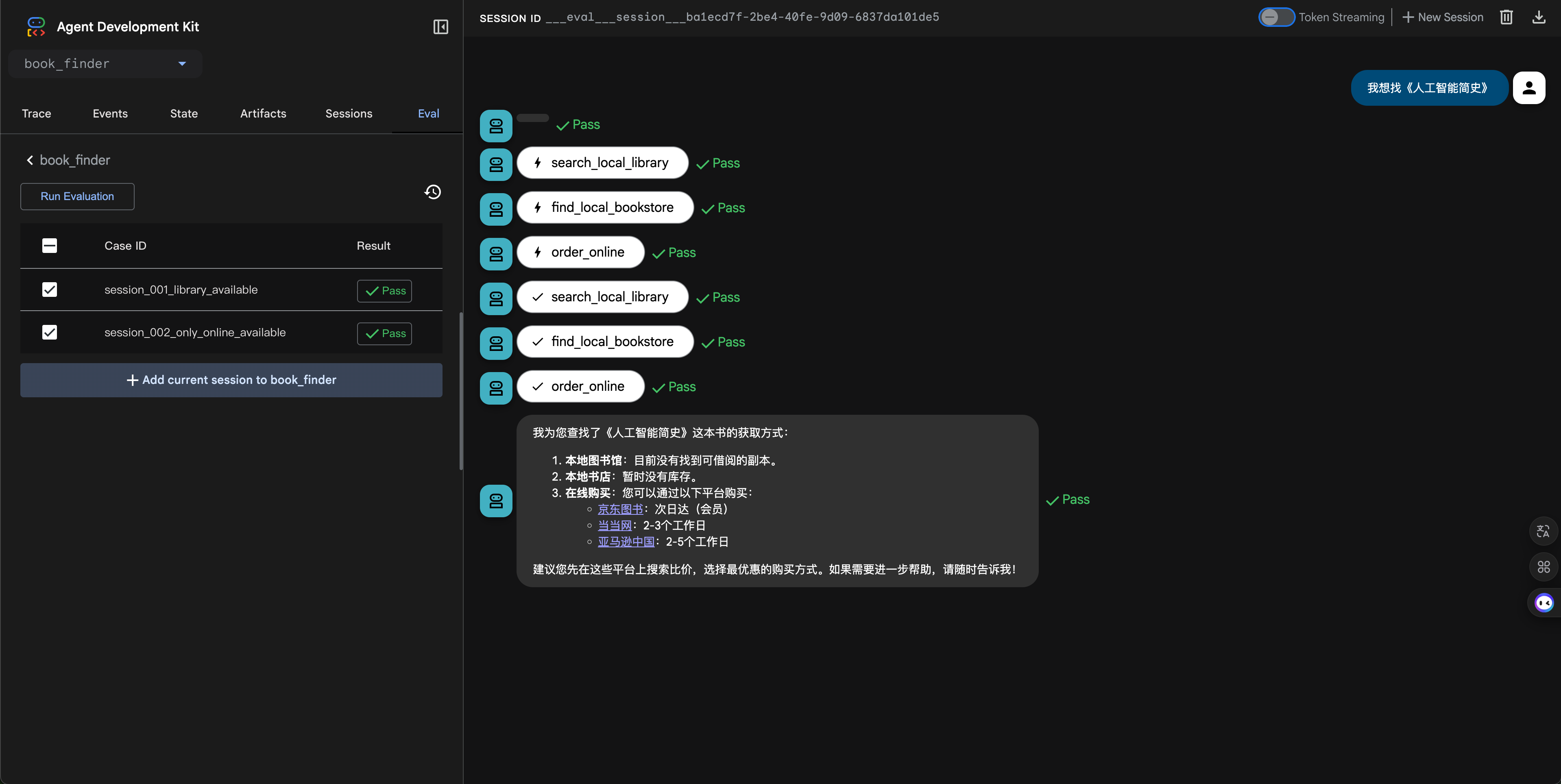
Evaluation run interface description: - Left panel: Displays available Eval Sets and eval case list; cases can be checked for evaluation - Middle configuration area: Shows evaluation configuration, including metric selection and threshold settings - Right result area: Shows evaluation results, including pass/fail status, score details, and comparison information
5. View Evaluation Traces
After evaluation completes, you can view detailed execution trace information:
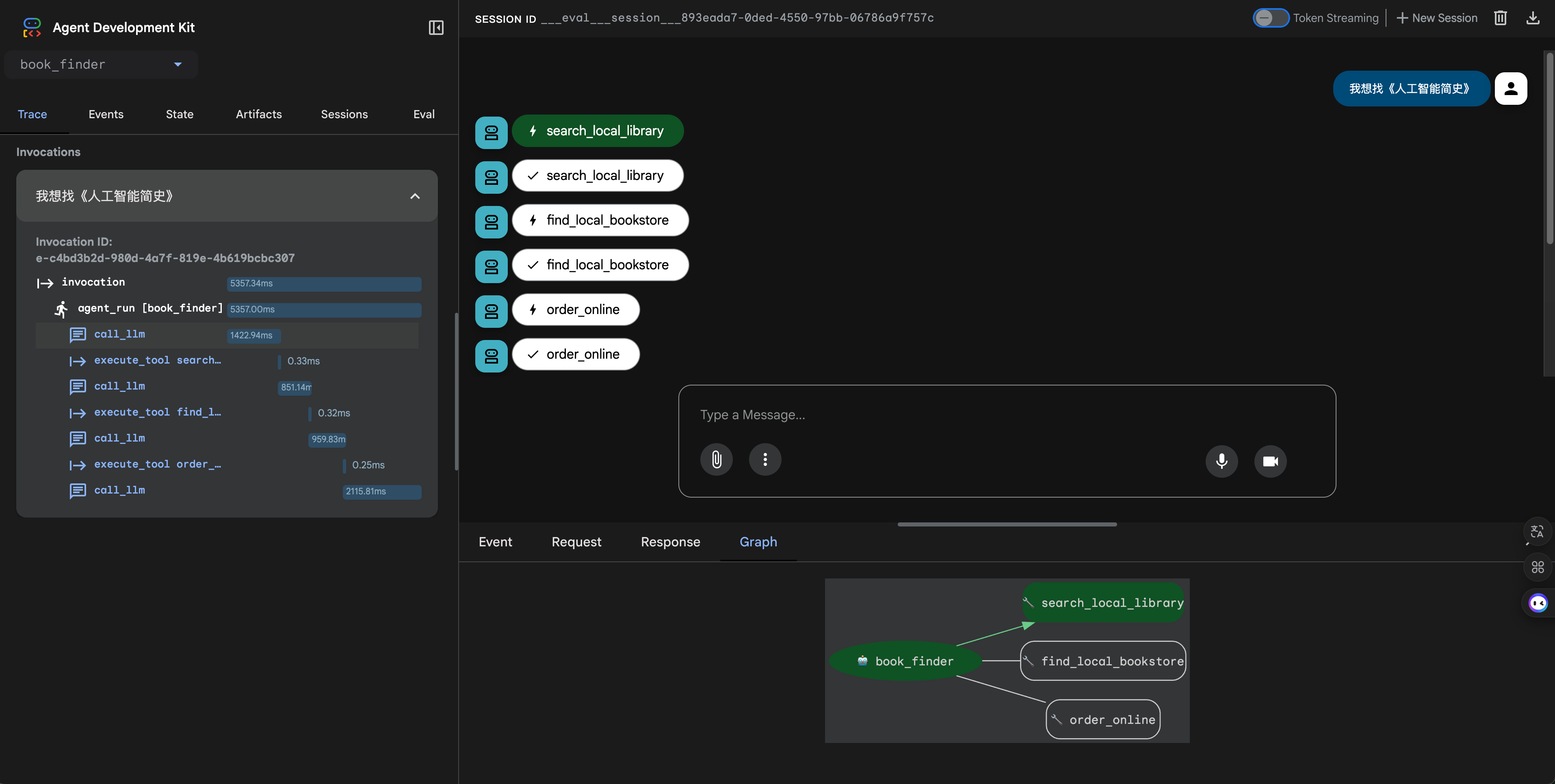
Evaluation trace interface description: - Execution trace: Shows the complete execution process for each eval case - Tool calls: Displays the tools called by the Agent and their parameters - Response comparison: Compares expected and actual responses, highlighting differences - Score details: Shows detailed scores for each metric and pass/fail status
Complete Example
Complete example: examples/evaluation/webui/. When passing --agents pointing to this directory, its subdirectory agent/ constitutes an application (directory name must match root_agent.name).
File structure:
webui/                          # --agents points to this directory
├── agent/                      # Subdirectory name = root_agent.name
│   ├── agent.py
│   ├── agent.evalset.json
│   ├── config.py, prompts.py, tools.py, test_config.json, ...
│   └── __init__.py
├── run_agent.py
├── test_book_finder.py
└── README.md
agent/agent.py (excerpt):
root_agent = LlmAgent(
    name="agent",  # Matches the directory name agent/
    ...
)
agent/agent.evalset.json: eval_set_id matches the file base name as "agent", session_input.app_name is "agent".
Start the service:
python -m trpc_agent_sdk.server.debug.server --agents examples/evaluation/webui
After starting, in the WebUI:
- The Agent list shows agent
- The Eval Set is loaded from agent/agent.evalset.json
- You can run evaluations and view results