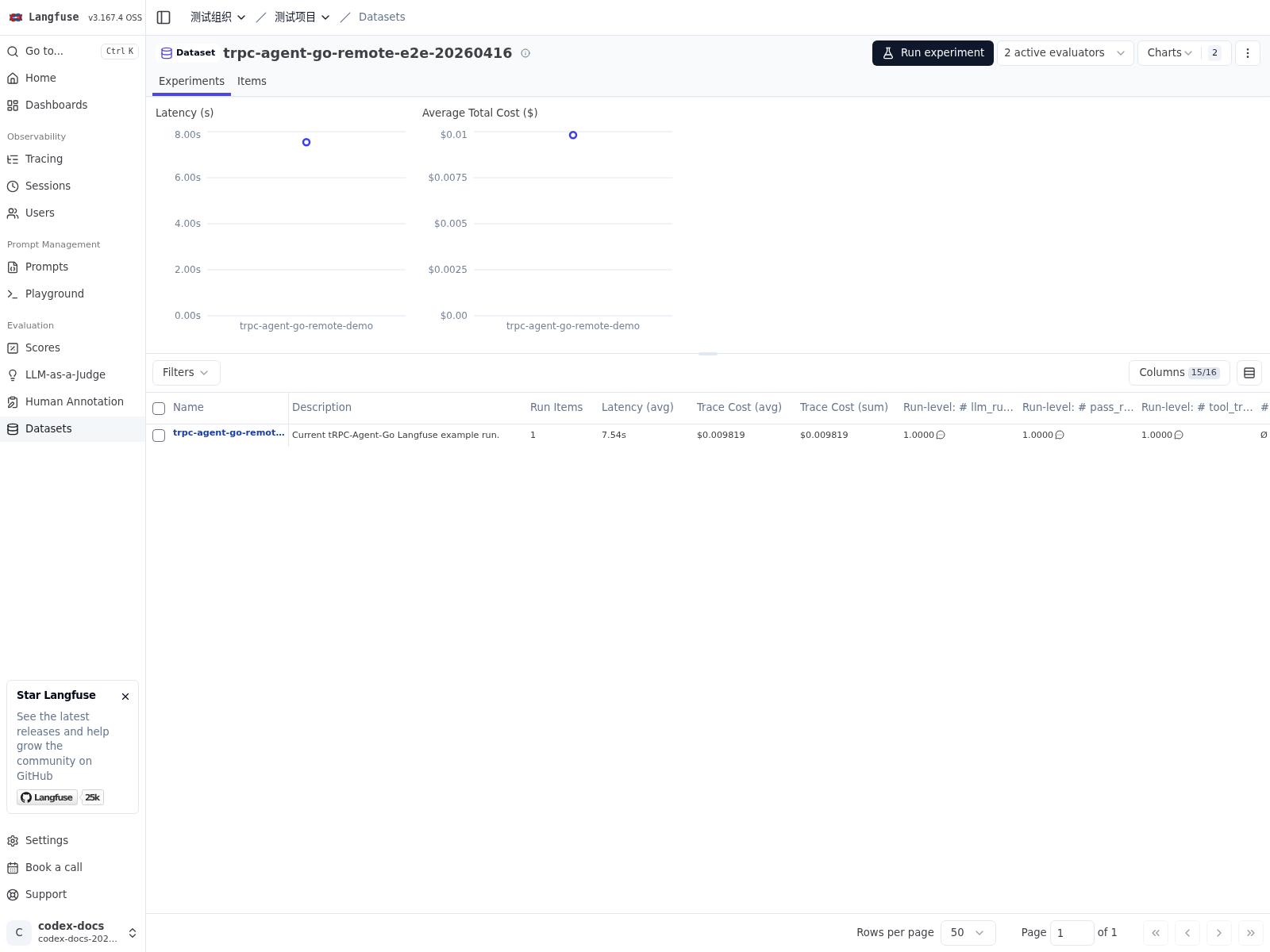
Online Evaluation Service
When evaluation must be invoked remotely by web pages, test platforms, or other backend services, you can place an HTTP API layer on top of AgentEvaluator. The framework provides this service wrapper in server/evaluation, exposing evaluation set queries, evaluation execution, and evaluation result queries as HTTP endpoints. See examples/evaluation/server for the complete example, and server/evaluation/openapi.yaml for the API description.
The core integration snippet is shown below:
The service exposes four resource groups:
sets: query evaluation sets and individual set details.metrics: query evaluation metrics and individual metric details.runs: trigger an evaluation execution.results: query evaluation results and individual result details.
On success, POST /evaluation/runs returns the result of AgentEvaluator.Evaluate in the evaluationResult field. For frontend integration, platform access, or SDK generation, the OpenAPI description should be treated as the API contract.
Evaluating with Langfuse Remote Experiments
server/evaluation/langfuse provides an integration layer for Langfuse Remote Experiments. It receives remote evaluation requests that Langfuse starts for a dataset, runs local Agent inference and evaluation, and writes the results back to Langfuse.
From a usage perspective, this flow is best understood as a collaboration between two systems. Langfuse manages datasets, triggers experiments, and displays results. tRPC-Agent-Go turns dataset items into evaluation cases, executes local inference and evaluation, and writes traces, case-level scores, and run-level aggregates back to Langfuse.
To wire this integration, first prepare a complete local evaluation runtime. In practice, that usually includes the following components:
AgentEvaluator, which runs inference and evaluation.EvalSetManager, which manages theEvalSetmapped from the dataset.MetricManager, which provides the metrics used for that dataset.EvalResultManager, which stores evaluation results.
Once that runtime is available, you can attach langfuse.Handler and let Langfuse drive remote evaluations through it.
This integration keeps the native framework evaluation model. The mapping is:
- A Langfuse dataset maps to one
EvalSet. - A Langfuse dataset item maps to one
EvalCase. dataset.IDis used directly asevalSetID.- By default, one dataset corresponds to one metric set.
In other words, Langfuse mainly provides dataset organization and the trigger entrypoint, while the evaluation semantics remain owned by tRPC-Agent-Go. CaseBuilder decides how a dataset item maps to an EvalCase, and MetricManager decides how metrics are organized and loaded. With the default local implementation, metrics are typically organized by dataset.ID. If your system needs multiple datasets to reuse the same metrics, you can adjust the mapping with a custom manager or locator.
Code
For a complete example, see examples/evaluation/langfuse.
The following snippet uses local managers and shows how to register langfuse.Handler on top of server/evaluation.
Case Concurrency
The Langfuse handler submits all requested case IDs in one Evaluate call.
Configure concurrency on the evaluator using the existing options; no handler
parallelism option is required:
The inference and evaluation switches remain independent. Enabling only parallel inference leaves evaluation serial, and enabling only parallel evaluation leaves inference serial. Default evaluator settings keep both stages serial.
The handler appends case lifecycle callbacks without replacing application or service callbacks. Case run options apply only to the actual runner; expected runners retain the configured shared options. Each inference session retains the first valid actual-run trace, so expected runners and later conversation turns cannot replace the trace used for publication. Scoring restores the same session's trace context, including when multiple runs execute concurrently. When no actual trace is emitted (including trace mode), scoring and publication use the injected case trace. Custom evaluation services must honor the lifecycle callbacks and case run options to preserve these associations.
Callback options are applied in the order supplied, with evaluator constructor
options before per-call options. evaluation.WithCallbacks(A) replaces the
selected callbacks and discards earlier additions;
evaluation.WithAdditionalCallbacks(B) appends to them. Thus, setting A then
appending B runs A followed by B at each lifecycle point, while appending B
then setting A runs only A. Appending alone preserves service defaults.
WithCallbacks(nil) discards earlier additions and falls back to service
defaults; an empty, non-nil service.Callbacks disables callbacks.
WithAdditionalCallbacks(nil) does nothing. The handler adds its callbacks last.
Callback merging is internal to evaluation; the service layer uses its existing
service.WithCallbacks option.
After the evaluator completes and saves the batch, the handler writes traces, run items, and scores in dataset order. Evaluation errors and cancellation are returned before publishing the batch. Case-level failures retain the evaluator's normal result semantics. A later Langfuse write failure can leave earlier writes in place; completed writes are not rolled back. Runners, callbacks, and managers must support the concurrency enabled on the evaluator.
Data Format
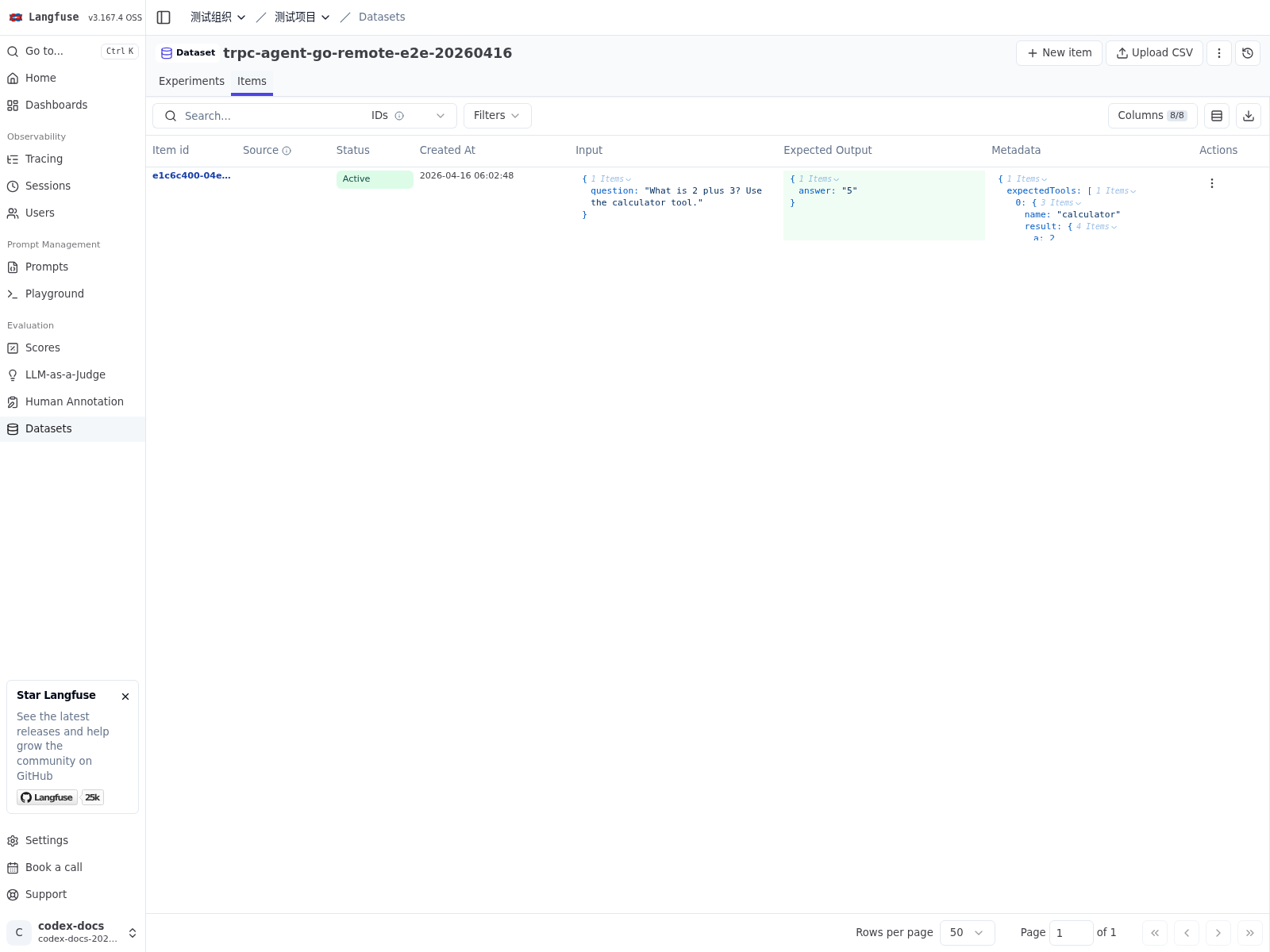
Langfuse allows users to define the structure of dataset items on the platform side, so input, expectedOutput, and metadata do not need to follow a fixed schema. On the tRPC-Agent-Go side, evaluation still needs to run against an explicit EvalCase. CaseBuilder is the layer that bridges those two models.
In practice, CaseBuilder extracts the user question, expected answer, and expected tool trajectory from the raw dataset item, then maps them into an EvalCase that the local evaluation runtime can consume directly. This keeps dataset authoring flexible in Langfuse while making the boundary between platform data and evaluation semantics explicit in code.
The example below uses a simple question/answer structure to show how a dataset item maps into an EvalCase.
input:
expectedOutput:
metadata.expectedTools is optional and is used for tool trajectory evaluation.
If your business data uses a different structure, implement the conversion through langfuseeval.WithCaseBuilder(...).
One possible CaseBuilder looks like this:
This conversion does the following:
- Reads
input.questionintoUserContent. - Reads
expectedOutput.answerinto the expectedFinalResponse. - Reads
metadata.expectedToolsinto the expected tool trajectory. - Uses
item.IDas bothDatasetItemIDandEvalID, so platform data and local evaluation results remain aligned one to one.
Metric Files
Metrics are still managed using the native framework model. With the default local MetricManager, and because dataset.ID is used directly as evalSetID, metric files are typically named by dataset.ID and stored like this:
When you follow this default layout, the target dataset must have a matching metric file before the remote evaluation can produce valid metric results.
If several datasets should reuse the same metric configuration, you can customize the metric locator. The example below maps every dataset to the same shared.metrics.json file.
This is useful when multiple datasets share the same evaluation goals and differ only in sample content.
Running
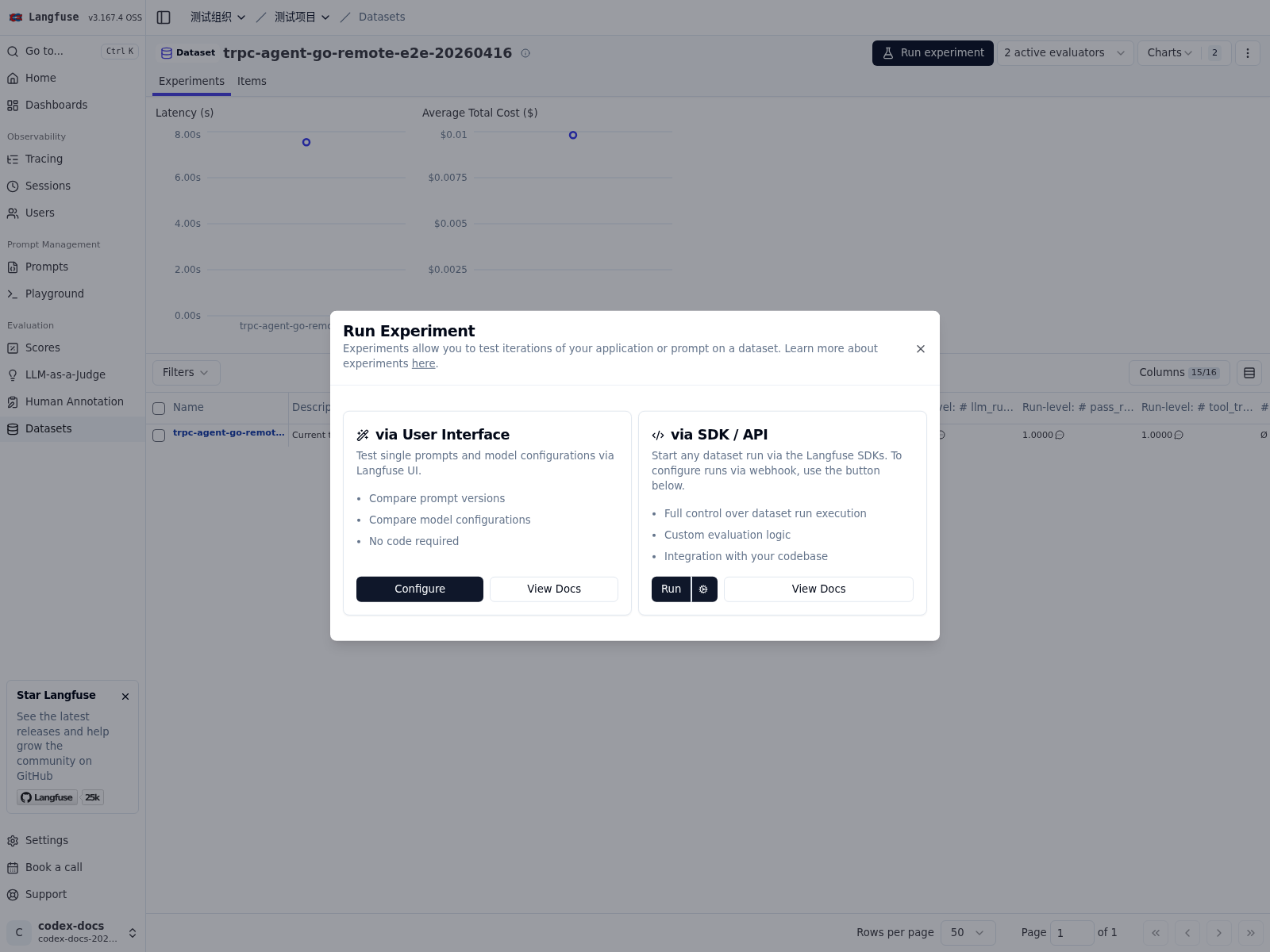
Once the local evaluation runtime is ready, wiring Langfuse Remote Experiments is straightforward: start the evaluation service, configure the remote evaluation address in Langfuse, and let Langfuse trigger a remote evaluation.
Langfuse connection settings can be passed explicitly through WithBaseURL(...), WithPublicKey(...), and WithSecretKey(...), or provided through environment variables:
LANGFUSE_BASE_URL: Langfuse base address, for examplehttp://127.0.0.1:3000.LANGFUSE_PUBLIC_KEY: Langfuse public key.LANGFUSE_SECRET_KEY: Langfuse secret key.
If you use the official example, you also need model settings for both the target Agent and the Judge Runner. The following environment variables and command correspond to the minimal runnable setup for the official example:
LANGFUSE_HOST: Langfuse host inhost:portform, for example127.0.0.1:3000.LANGFUSE_INSECURE: Set totruewhen using plain HTTP locally.OPENAI_BASE_URL: Base URL for an OpenAI-compatible model service.OPENAI_API_KEY: API key used by both the target Agent and the Judge Runner.
The command above starts the official example. Its webhook address is:
The Langfuse Web UI currently accepts only remote evaluation URLs on ports 80 or 443. If the service listens on 8088, you will usually need a reverse proxy, port mapping, or a gateway to expose it on 80/443. The same constraint applies even if you are not using the official example and instead run your own evaluation service.
Viewing Results
After the remote evaluation completes, Langfuse shows the results at multiple layers of the local evaluation run:
- One trace for each dataset item.
- Trace-level case scores such as
tool_trajectory_avg_scoreandllm_rubric_response. - Dataset-run-level aggregate scores such as
pass_rateand the mean values of each metric.
How results are persisted depends on the EvalResultManager implementation. With the local implementation, results are written to a local directory, which is useful for offline debugging and regression comparison.